


ImageNest RIP review: V4 update
ImageNest RIP review: V4 update
Review update – Version 4

No more Google ads. Too many deceptive and irritating adverts.
Any ad links left are non tracking, to companies we know, trust and we've worked with for years [Park Cameras]
Ads helped pay for site running costs, so if you found something useful, please
...Make small KoFi donation?
...Subscribe to Keith's YouTube Channel
...Get Keith's book about how to use tilt/shift lenses
Our site contains affiliate links - these help support the site. See our Advertising policies for more
No more Google ads. Too many deceptive and irritating adverts.
Any ad links left are non tracking, to companies we know, trust and we've worked with for years [Park Cameras]
Ads helped pay for site running costs, so if you found something useful, please
...Make small KoFi donation?
...Subscribe to Keith's YouTube Channel
...Get Keith's book about how to use tilt/shift lenses
Our site contains affiliate links - these help support the site. See our Advertising policies for more
ImageNest (from BlueCubit) is designed to allow you to print images to a printer. It uses the printer’s own driver, so works with a great variety of printers. It handles a great variety of files types (including PostScript) and lets you control the layout of individual or multiple images on whatever size paper you are using.
It supports resizing and scaling of images, and can handle colour management (ICC profiles) directly.
Keith has reviewed earlier versions of this software (Mac only) with a wide range of printers. If you like what you see, do check the earlier ImageNest reviews, for more aspects of its functionality.
There is a downloadable demo available.
Article Index
No more Google ads. Too many deceptive and irritating adverts.
Any ad links left are non tracking, to companies we know, trust and we've worked with for years [Park Cameras]
Ads helped pay for site running costs, so if you found something useful, please
...Make small KoFi donation?
...Subscribe to Keith's YouTube Channel
...Get Keith's book about how to use tilt/shift lenses
Our site contains affiliate links - these help support the site. See our Advertising policies for more

The ImageNest RIP
At its most basic, ImageNest allows you lay out multiple images on one or more sheets of paper.
The key features are listed as:
- Automatic “Best Fit” Nesting: ImageNest will automatically arrange images and graphics to optimise paper usage. Manual arrangement option.
- Export TIFF or PDF
- Vector and Raster (Image) file support: ImageNest is a PostScript RIP and can work with almost any file type Including EPS, PDF, and all raster (JPG, TIFF, PNG, BMP, etc.) formats.
- Black Point Compensation: Prints on Cotton Rag and other fine art papers benefit enormously from black point compensation. Strength of blacks, better shadow detail, and overall tonal range are greatly improved with BPC.
- Annotations/Labels: Frames, Metadata, custom labels and other image or print data can automatically be added above or below your images or graphics.
- Drag and Drop: Files can be “dragged and dropped” directly onto templates or into the “Image Palette”.
- SoftProofing: See what is going to come out of your printer before you print. ImageNest can control ICC Profile, rendering intent, and Black point Compensation.
- Cropping/Editing: Resize or edit your images/graphics directly in the ImageNest layout. Quick and easy and includes advanced cropping, crop to size, and “Rule of thirds” cropping interface
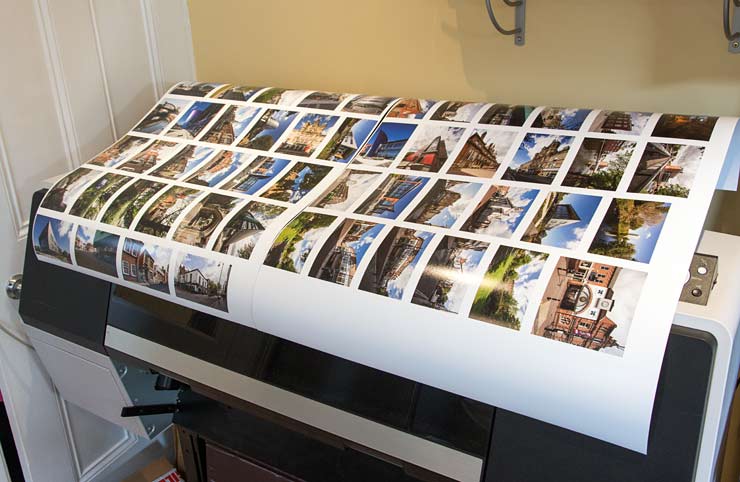
I’ll just show a fairly basic example of its use here. I’m printing a whole set of samples of our stock photos of Leicester – there are over 500.
I’m trying the software this time on an Epson SC-P7000 printer that I’ve got here for my P7000 review. This is a 24″ width printer, and I’ve got a roll of Epson Premium Lustre paper loaded.
With roll paper, I can use any custom paper size I want, such as 2m long.

2m is a bit cumbersome so I’ll use 80cm for making the prints. I just want a simple hard copy of what’s in the Leicester image library.
I have an ICC printer profile for the paper and have selected it, along with the option for ImageNest to manage colour.
It’s at this point I can decide whether I want BPC – not needed in this case, since I’m using this lustre paper. If I was printing on a matte paper, I’d select it.
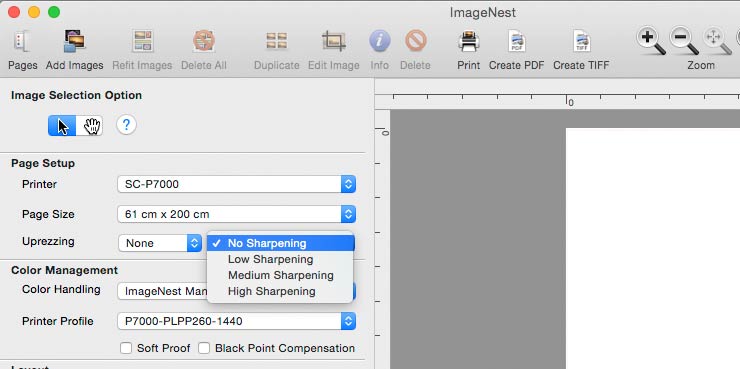
I can also add a bit of sharpening for the images. This is well worth checking out for your printer and images, since the amount that looks best depends on many different factors.
Layout is aided by the ability to snap images to a grid – you can also add crop marks, and for PDF output, can include cut contours for the sheet.

Auto layout gives two options which depending on the mix of images can give quite different results

With the similar size images I’m testing the differences are still clear, such as this first example where images are aligned to fit best on the paper.
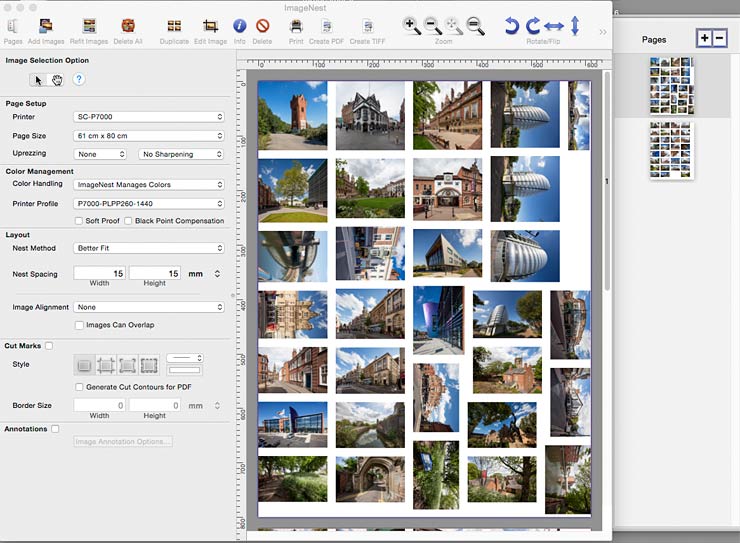
Alternately, the option to minimise cutting has sorted the photos in a different way.

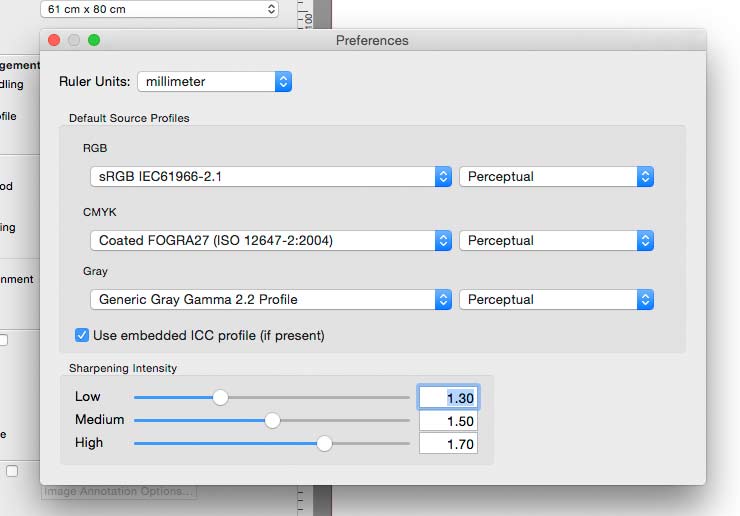
ImageNest can work with embedded colour profiles – just set your preferred behaviour in the preferences.
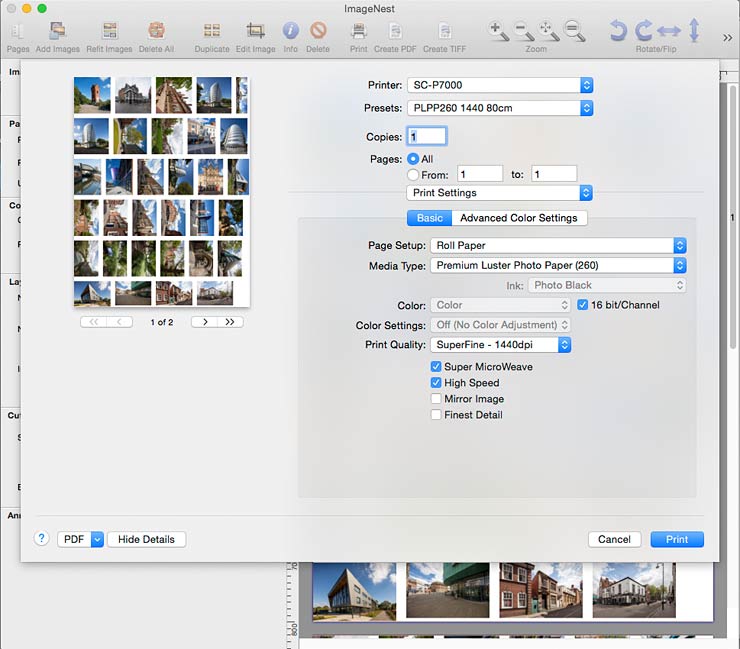
Using preset printer settings helps ensure all settings are correct, but you get to check before printing
Resizing prints
The photos I’ve selected are somewhat larger than I’m printing. They are all a maximum of 3000 pixels high or wide.
When selecting the images, I get the option to re-size them if I want.

There is a range of preset options

I’ve selected a maximum of 5 inches wide – the images can either be fitted into this size or cropped to fill the space.

At the size of the source images, I’m happy with their resolution, but I could include resampling to match optimum values for my particular printer. (I’ve looked at this in more detail in the ImageNest V3.5 review)

It’s something that you need to experiment with, but can work very well if you are printing fine graphic detail.
The software comfortably handled over five hundred 3000 pixel wide JPEG files, taking a few minutes to arrange them on a total of 17 80cm lengths of 24″ roll paper.

Conclusions
Version 4 of the software is now a flat $199 for all printer sizes, and supports as many printers as you like.
That means if you’ve a big Epson SC-P9000 and a smaller SC-P800, you can print to both of them from ImageNest. It works just as well with the Canon iPF8300 I’ve got here.
The software is quick and easy to use, but has many features that make it a solution for people looking to get the very best print quality but not wanting the expense of a full RIP solution.
I’d go so far as to say that for photographers like myself, Full RIPs are rarely a worthwhile expense, particularly given the ‘out of the box’ print quality now offered via the print drivers.
If you need PostScript and vector image support, ImageNest lets you print files without needing to start up additional software applications.
I get to test a lot of printers and ImageNest just works with all of them. It did take several minutes to arrange 500+ files.
Not a problem, but if you are not expecting the wait, it would be good to have some form of busy indicator and a means of stopping – you might not have meant to add so many files at a partcular setting for example.
Handling of colour management and resizing is straightforward and effective.
If you need to make use of templates for more complex print layouts, have a look at the other product from Blue Cubit Template Sherpa.
Available from Blue Cubit.
-- --
Never miss a new article or review - Sign up for our Newsletter (2-4 a month max.)More print related information from Keith
...or use the search box at the top of any pageReference pages and test images
- Printer Test Images
- B&W printer test image
- Printer cleaning
- Paper reviews
- Printer info/news/speculation Canon | Epson
Adverts removed