


ShineOff skin shine reduction plugin review
ShineOff Plugin review
A Photoshop plugin for getting rid of shiny skin in photos

No more Google ads. Too many deceptive and irritating adverts.
Any ad links left are non tracking, to companies we know, trust and we've worked with for years [Park Cameras]
Ads helped pay for site running costs, so if you found something useful, please
...Make small KoFi donation?
...Subscribe to Keith's YouTube Channel
...Get Keith's book about how to use tilt/shift lenses
Our site contains affiliate links - these help support the site. See our Advertising policies for more
This plug-in from Image Trends is designed to automatically remove shine from skin.
Article Index

Take the shine off skin in photos
Do you have photos of people where the light has caught their skin, with unflattering shiny patches?
A simple plugin offers a quick solution.
Update December 2010 – New version with full 64 bit support
Apple Mac version of the plugin is covered here, but the PC windows version works the same.
What’s in the software?
The plug-in does just one thing – it removes shiny highlights from skin. The example above shows the quite subtle effects. If they are a bit too much like applying make-up, then use the fade function in Photoshop (immediately after applying the filter) or apply the effect to a layer.
Move your mouse over the image to see the effect ShineOff plug-in
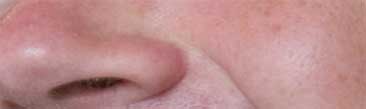

There are no settings or controls – you just run the plugin…
There is a very good tutorial (and lots more examples) on getting the best out of the plugin on the Image Trends site. It also covers actions and batch processing using Photoshop.
Whilst I’m not a portrait or wedding photographer I often get shots of people in work environments which are may not have optimal lighting. The ShineOff plugin is very useful for selectively getting rid of unwanted glare.
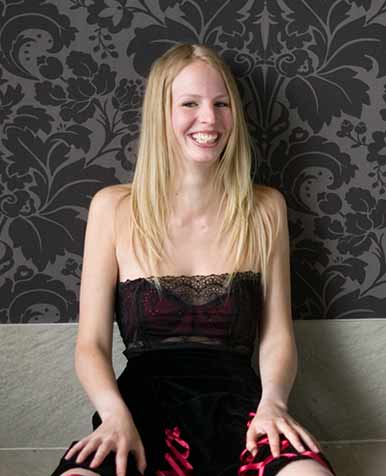
The example below shows some slight glare that might not be wanted (the model was taking a break during a shoot )
If you mouse over the image you can see some selective removal of glare (slightly exagerated for effect). The background was duplicated, the filter applied and the selectively unmasked to show the reduction in ‘shine’

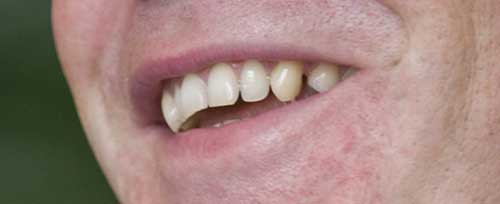
The second example below had the teeth whitened with the PearlyWhites plugin (review) and then had the ShineOff plugin used to get the shine removed.
It’s my experience that most CEOs are much more conducive to flattery by Photoshop, than by taking along someone to apply make-up…

Conclusions
Easy to use and very effective at what it does. Removes gloss from skin tones without being too obvious.
I found that I often needed to turn back the effect, by masking or fading, but that reflects my own tastes in how images should look rather than any criticism of the software.
Summary
A very effective plugin – worth getting the free (watermarked) trial
Available (download) in both Mac and Windows PC versions at $49.95
Supports: RGB, 8 bits and 16 bits
Applications:
- Adobe Photoshop 7.0 and higher versions
- Photoshop Elements 2 and higher versions
- PaintShop Pro 7 and higher versions
Operating Systems:
Windows Vista, XP, NT, 2000, Mac OSX
Never miss a new article or review - Sign up for our occasional (ad-free) Newsletter
and please do subscribe to Keith's YouTube Channel

Other areas of our site that may be of interest...
All the latest articles/reviews and photo news items appear on Keith's Photo blog

Keith explains tilt and shift lenses
Keith has written a book that looks at the many ways that tilt/shift lenses can benefit your photography from a technical and creative point of view. If not in the UK check for import issues and maybe try an on-line bookshop. Keith has no connection with sales of the book.
ISBN 9781785007712
There is also a specific index page on the site with links to all Keith's articles, reviews and videos about using tilt and shift.
We've a whole section of the site devoted to Digital Black and White photography and printing. It covers all of Keith's specialist articles and reviews. Other sections include Colour management and Keith's camera hacks - there are over 1200 articles/reviews here...
No more Google ads. Too many deceptive and irritating adverts.
Any ad links left are non tracking, to companies we know, trust and we've worked with for years [Park Cameras]
Ads helped pay for site running costs, so if you found something useful, please
...Make small KoFi donation?
...Subscribe to Keith's YouTube Channel
...Get Keith's book about how to use tilt/shift lenses
Our site contains affiliate links - these help support the site. See our Advertising policies for more