


Review update – Topaz Impression V1.1.1
Review update – Topaz Impression V1.1.1
Plugin for applying artistic styles and effects to images

No more Google ads. Too many deceptive and irritating adverts.
Any ad links left are non tracking, to companies we know, trust and we've worked with for years [Park Cameras]
Ads helped pay for site running costs, so if you found something useful, please
...Make small KoFi donation?
...Subscribe to Keith's YouTube Channel
...Get Keith's book about how to use tilt/shift lenses
Our site contains affiliate links - these help support the site. See our Advertising policies for more
Keith Cooper has been looking at the latest image editing plugin from Topaz. Impression allows you to apply a wide range of ‘artistic’ effects (painting/drawing) to an image.
This is an update for his original V1.0 review of Impression, which has far more examples and details of program operation (probably best read first if you are new to the plugin)
We’ve reviews of all Topaz software. See the Topaz Category in the dropdown menu at the top of the right column.
Article Index

What’s new in Topaz Impression V1.1.1
Buying from Topaz Labs
If you buy any software via this link (bundle or individual plugin), then we get a small fee (it costs you no more). Neither Keith Cooper nor Northlight Images has any other connection with Topaz labs whatsoever. We believe strongly in making any affiliate links like this clear.
Use our 15% discount code 'Northlight' for an additional discount on some promotions.
The range of preset adjustments has been expanded with over 50 new ones, and there are new adjustment options in the main settings.
New viewing options have been added enabling split screen views and a zoom overview window.
I’ll show a few different examples of what the software does, but as before, I’d recommend getting the fully functional 30 day demo version of the software and trying it with your own images – only you can decide what’s great and what you hate ;-)
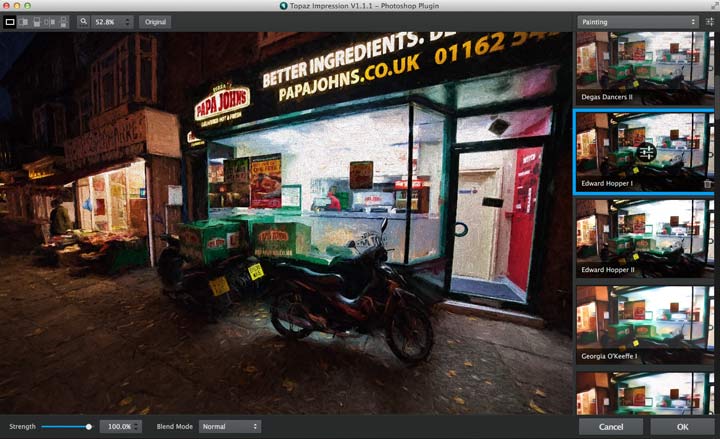
Here’s a photo of a nearby pizza outlet, in the style of ‘Edward Hopper’.

New features
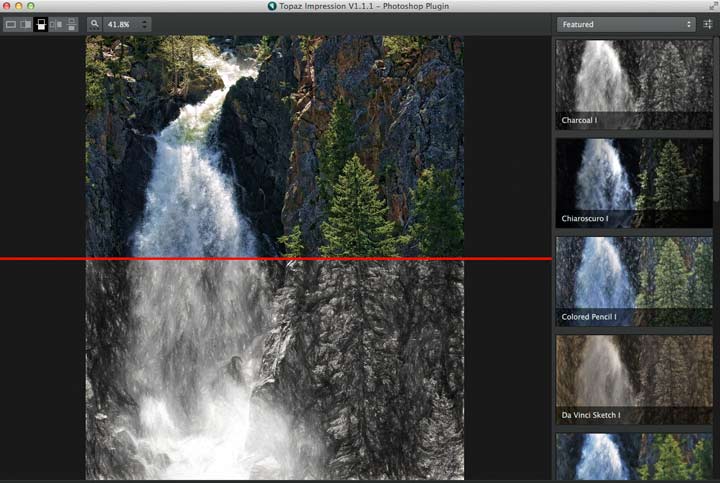
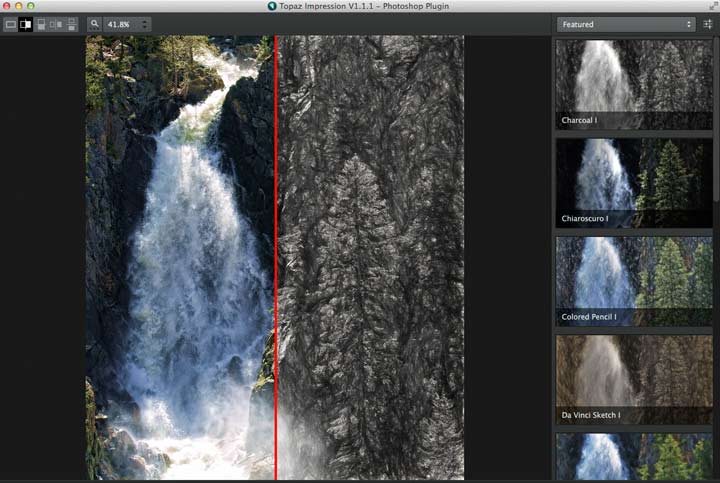
Split view modes. You can now view the original and edited image in 5 different viewing modes – move your mouse over the image to see a vertical split.
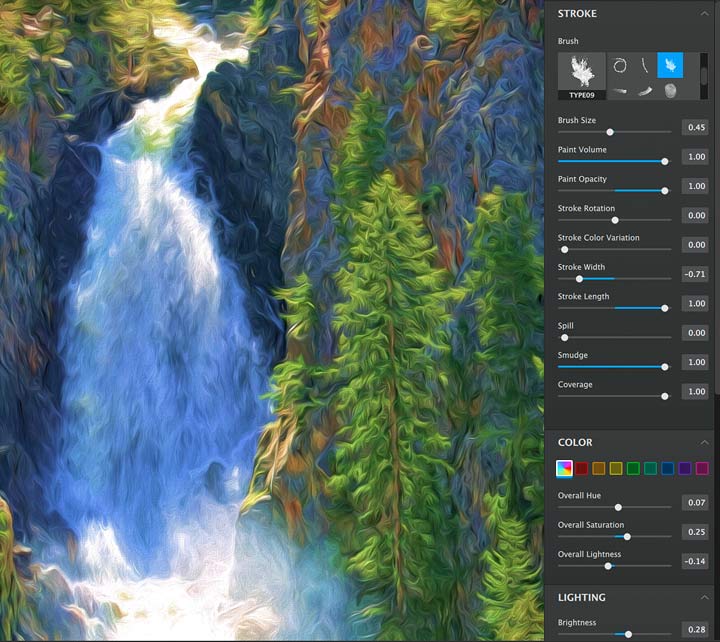
Three new sliders.
- Stroke Rotation: rotates the angle of the brushstroke.
- Rotation Variation: makes the rotation less uniform.
- Stroke Colour Rotation: a stroke paint deviation slider. If your paint colour is yellow, then actual shades of yellow will be applied, not one uniform colour.
Move your mouse over the image below to see the new adjustments.
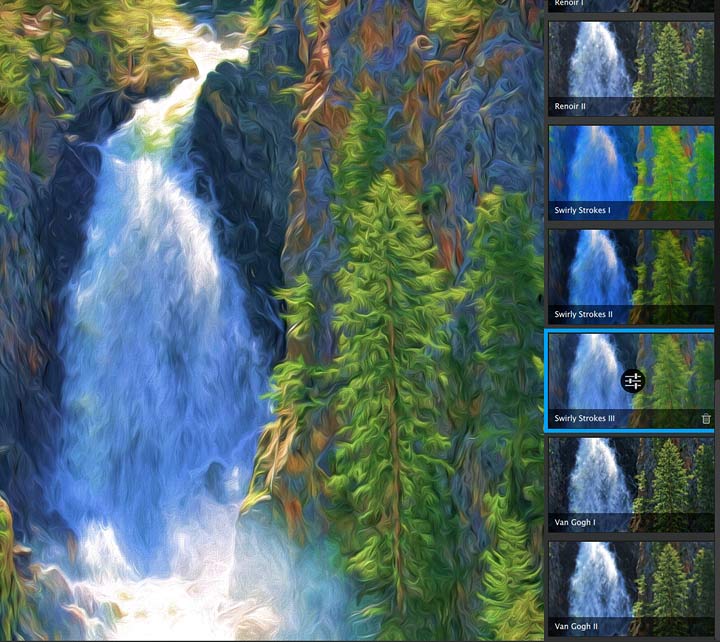
New background type option. You now have the ability to use the original image as the background (instead of a solid colour).
New Short-cut Keys. These short-cut keys have been added:
- Zoom in/out: Ctrl/Cmd +,-
- Switch the preset panel to the selective parameter panel: Shift + P (or simply press P)
- Cancel: Esc
- OK: Ctrl/Cmd + Return (Enter)
There are many other improvements and refinements added – see the full list at Topaz Labs
Using the Plugin
The new presets give a lot more scope for experimentation. It’s quite difficult to appreciate the way all the sliders interact, so start with something that interests you and look at the effects as you vary settings. Some sliders have hardly any effect when combined with other settings, but you’ll soon get a feel for what it can do.
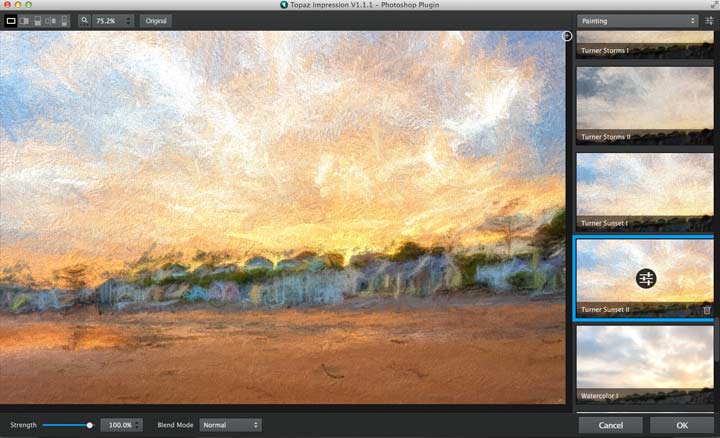
Some of the settings give very strong effects, such as this ‘Turner Sunset’ view of one of the images I used in the main review (move your mouse over it to see).

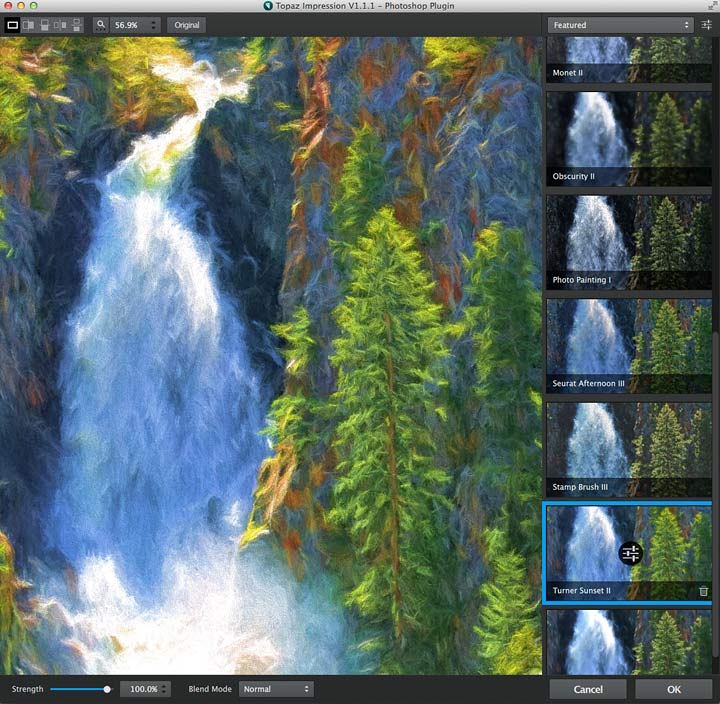
Here it is on a different image – a very different effect.
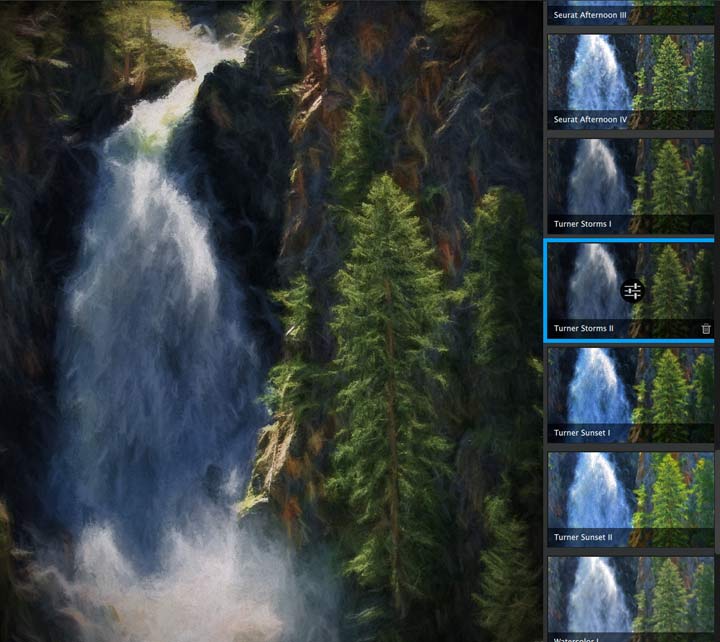
‘Turner Storms’ gives a different mood altogether.
Textures have been refined too.

The zoom view helps quickly see an overview and allows you to navigate a zoomed view.
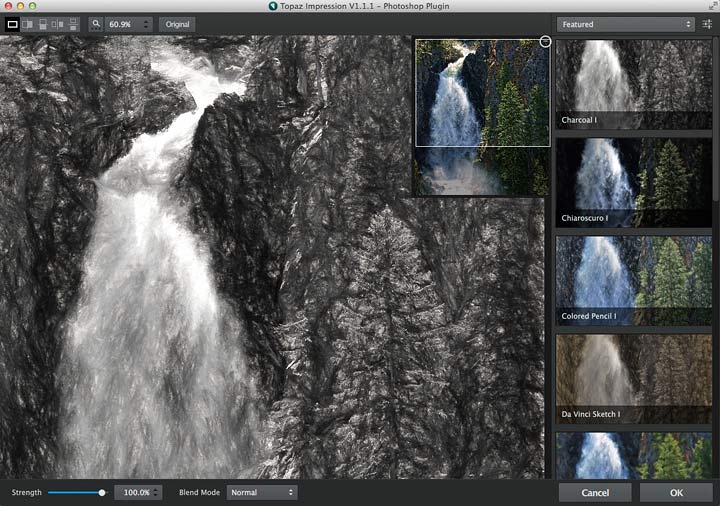
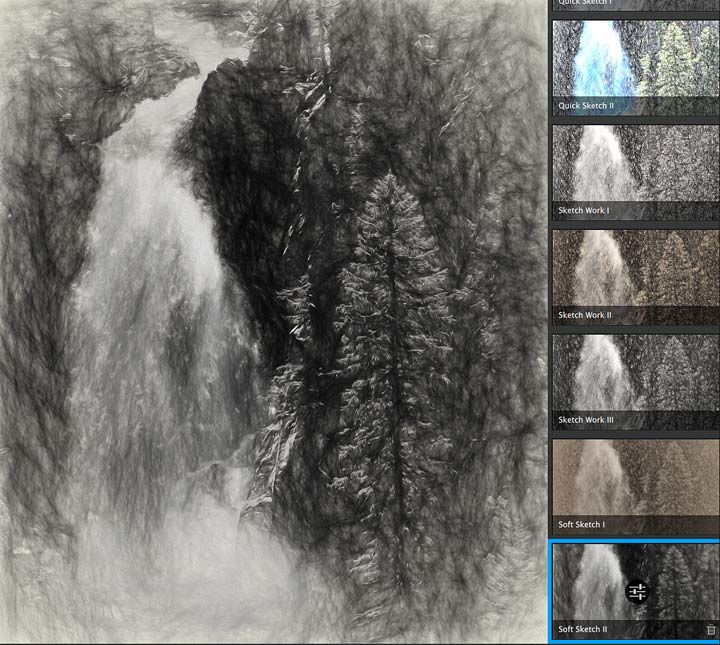
The sketching presets have been nicely expanded
Don’t forget that the results of any transformation are very dependent on the tonality of the underlaying image, so look at this view of pizza delivery bikes.
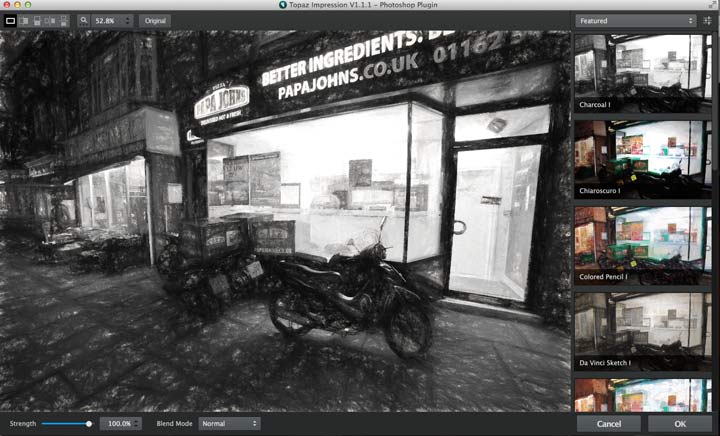
The interior of the shop is very burnt out, even though it has lots of detail in the highlights.
I used Topaz ReMask 4 to mask just the interior, and an adjustment curve to lower its brightness and increase contrast (just the interior)
Now applying the ‘Edward Hopper 1’ filter gives a bit more of what I’d imagined. The final version is at the top of the article.
Conclusions
Buying from Topaz Labs
If you buy any software via this link (bundle or individual plugin), then we get a small fee (it costs you no more). Neither Keith Cooper nor Northlight Images has any other connection with Topaz labs whatsoever. We believe strongly in making any affiliate links like this clear.
Use our 15% discount code 'Northlight' for an additional discount on some promotions.
A very useful update to the Impression plugin.
I’d still like to be able to return the results as a new layer in Photoshop and the textures selection and display is still a bit awkward, but the results are great.
I’m sure that quite a few interface refinements will appear in due course, but I’m glad to see how much work has been put into making the range of adjustments more comprehensive.
I don’t normally do very much with my images – particularly since most of my professional work goes straight to clients.
I briefly looked at some alterations of images with Impression, on my architectural blog, and how they might be of use [Drawings and paintings from architectural photos]
Computer generated ‘art’ still elicits a mighty stuffy reaction from some, but if you produce images you like, then who cares ;-)
There is a fully functional 30 day demo version of the software available.
We’ve reviews of all Topaz software. See the Topaz Category in the dropdown menu at the top of the right column.
Summary
Software plugin that can apply a wide range of painting/drawing style to your images
Many preset image styles, and adjustments based on real media and tools
System Requirements:
Mac OS X 10.8+
Windows 7+ x64, OpenGL 3.2
There is more information at Topaz Labs
Never miss a new article or review - Sign up for our occasional (ad-free) Newsletter
and please do subscribe to Keith's YouTube Channel

Other areas of our site that may be of interest...
All the latest articles/reviews and photo news items appear on Keith's Photo blog

Keith explains tilt and shift lenses
Keith has written a book that looks at the many ways that tilt/shift lenses can benefit your photography from a technical and creative point of view. If not in the UK check for import issues and maybe try an on-line bookshop. Keith has no connection with sales of the book.
ISBN 9781785007712
There is also a specific index page on the site with links to all Keith's articles, reviews and videos about using tilt and shift.
We've a whole section of the site devoted to Digital Black and White photography and printing. It covers all of Keith's specialist articles and reviews. Other sections include Colour management and Keith's camera hacks - there are over 1200 articles/reviews here...
Adverts removed