


Review update Topaz Adjust V5.1
Review update Topaz Adjust V5.1
Topaz Labs image editing plugin updated

No more Google ads. Too many deceptive and irritating adverts.
Any ad links left are non tracking, to companies we know, trust and we've worked with for years [Park Cameras]
Ads helped pay for site running costs, so if you found something useful, please
...Make small KoFi donation?
...Subscribe to Keith's YouTube Channel
...Get Keith's book about how to use tilt/shift lenses
Our site contains affiliate links - these help support the site. See our Advertising policies for more
We’ve a collection of reviews covering most of the Topaz plugins. Keith’s original one for Adjust covered V5 of the plugin.
There is now an update, which whilst not radically altering the functionality, tidies up the interface, giving a more refined look and add masking for effects.
It’s not all gaudy colours! – it’s capable of subtlety too
Keith has written this short update – for much more detail, see the original Topaz Adjust V5 review.
We’ve reviews of all Topaz software. See the Topaz Category in the dropdown menu at the top of the right column.
Article Index
What’s new with Topaz Adjust V5.1
Buying from Topaz Labs
If you buy any software via this link (bundle or individual plugin), then we get a small fee (it costs you no more). Neither Keith Cooper nor Northlight Images has any other connection with Topaz labs whatsoever. We believe strongly in making any affiliate links like this clear.
Use our 15% discount code 'Northlight' for an additional discount on some promotions.
The original Topaz plugins had what appeared to me as a slightly clunky looking interface – more suited to the days of lower resolution monitors.
The functionality was great, but it didn’t have a ‘pro’ look.
Many of the plugins I’ve recently looked at have been tidied up, with the opportunity taken to refine and enhance some of the plugin options.
The start-up screen (optional) gives a quick overview of functionality and interface layout.
If you’re new to the software, do take a moment to look at it, even if like me, you’re inclined to just pile on in.

Text is clearer to read, and the adjustments work smoothly.
As before, one of the really powerful features, if you’re using the filter in a program that doesn’t support layers, is the ability to mask adjustments.
That means you can find a processing setting that works just fine for part(s) of an image and only apply it to where you need.
Changing the contrast for a tree, need no longer make your clouds look wrong.

You can see the general ‘tidying up’ in this view, showing the old interface style, from the longer Adjust V5 review.

A new ‘Loupe’ view, shows detail.

The plugin has a wide range of preset options, which show as sample renderings, as you move your mouse over the settings.

The little green dots indicate that a preview is ready – it can take a few second for new ones to be created.

You can also see a grid view of all the adjustments (I’ve chosen some of the more tacky looking ones just to show up the range in this reduced size view).

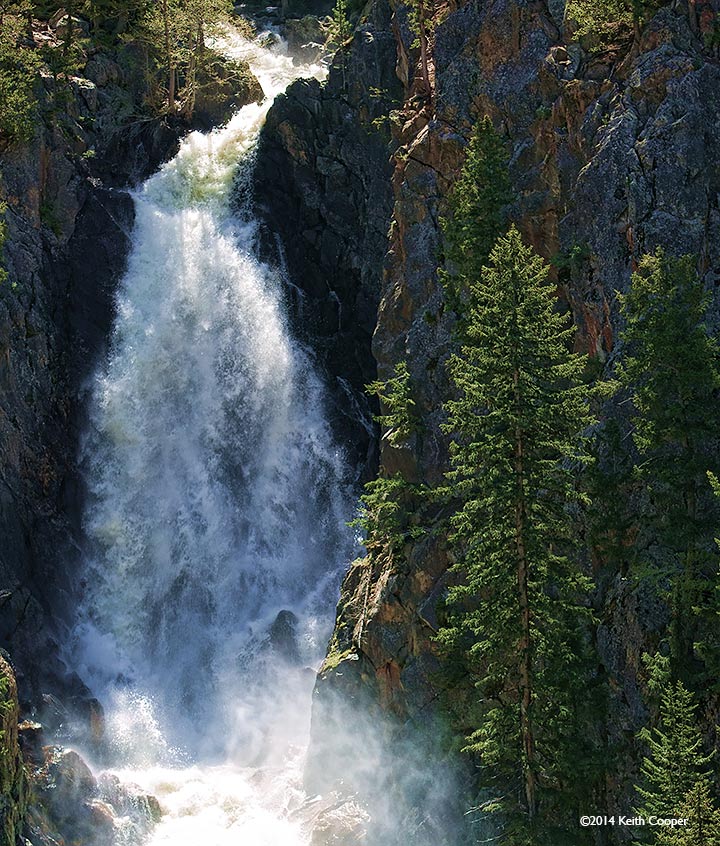
Here’s a bigger view of Fish Creek falls.

Conclusions
The rewritten interface feels much more modern and responsive. I’d still like to see the option of having the results returned as a new layer in Photoshop, but that’s not a major issue
Whilst it’s possible to easily overdo adjustment to an image, the controls allow for very subtle changes when you need them.
There is a fully functional 30 day demo version of the software that is available.
Buying from Topaz Labs
If you buy any software via this link (bundle or individual plugin), then we get a small fee (it costs you no more). Neither Keith Cooper nor Northlight Images has any other connection with Topaz labs whatsoever. We believe strongly in making any affiliate links like this clear.
Use our 15% discount code 'Northlight' for an additional discount on some promotions.
Summary
Software plugin for a wide variety of image processing functions. Comprehensive examples, tutorials and support cover usage.
Can work with a wide range of ‘hosting’ software.
System Requirements (from Topaz Labs)
Mac
Intel-based Macs with OS 10.6-9 (Topaz is NOT compatible with PowerPC processors – like G4 or G5.)
- 2 GB RAM minimum – preferably more
- Adobe Photoshop CS4-CS6 CC CC2014 (32-bit and 64-bit), Adobe Photoshop Elements 6-12***.
- Apple Aperture 2 and 3, Lightroom 2-5, and iPhoto via Topaz Fusion Express
- photoFXlab ONLY – Video Card should support OpenGL 2.1 technology and later (A better video card will increase performance even more so than a faster computer processor.)
***If Photoshop Elements was bought from the Mac app store, the plugin cannot be directly copied into the plugins folder or else you will receive this message: “Cannot proceed: IPC Memory in use or image is too big for the system”. At this moment our plugins are not compatible with the Mac store’s version of PSE due to a sandboxing issue, which we are currently investigating.
Windows
- Windows XP, Windows Vista, or Windows 7 (32-bit and 64-bit), Windows 8
- 2 GB RAM minimum – preferably more
- Adobe Photoshop CS4-CS6 (32-bit and 64-bit), Adobe Photoshop Elements 6-11.
- Lightroom 2-5 via Topaz Fusion Express
- Irfanview
- PaintShop Pro
- Photo Impact
- Serif Photo Plus
- photoFXlab ONLY – Video Card should support OpenGL 2.1 technology and later (A better video card will increase performance even more so than a faster computer processor.)
*ReMask is ONLY compatible with photoFXlab, Photoshop, Photoshop Elements and Paint Shop Pro. ReMask is NOT compatible with iPhoto, Aperture, Lightroom, Photo Impact or Irfanview.
There is more information at Topaz Labs
We’ve reviews of all Topaz software. See the Topaz Category in the dropdown menu at the top of the right column.
Never miss a new article or review - Sign up for our occasional (ad-free) Newsletter
and please do subscribe to Keith's YouTube Channel

Other areas of our site that may be of interest...
All the latest articles/reviews and photo news items appear on Keith's Photo blog

Keith explains tilt and shift lenses
Keith has written a book that looks at the many ways that tilt/shift lenses can benefit your photography from a technical and creative point of view. If not in the UK check for import issues and maybe try an on-line bookshop. Keith has no connection with sales of the book.
ISBN 9781785007712
There is also a specific index page on the site with links to all Keith's articles, reviews and videos about using tilt and shift.
We've a whole section of the site devoted to Digital Black and White photography and printing. It covers all of Keith's specialist articles and reviews. Other sections include Colour management and Keith's camera hacks - there are over 1200 articles/reviews here...
Adverts removed