


Mirage print software review (V3.5)
Mirage print software (V3.5)
Printing software (Canon/Epson) from Dinax tested on the Canon PRO-2000

No more Google ads. Too many deceptive and irritating adverts.
Any ad links left are non tracking, to companies we know, trust and we've worked with for years [Park Cameras]
Ads helped pay for site running costs, so if you found something useful, please
...Make small KoFi donation?
...Subscribe to Keith's YouTube Channel
...Get Keith's book about how to use tilt/shift lenses
Our site contains affiliate links - these help support the site. See our Advertising policies for more
Keith has recently been testing the 24″ width Canon PRO-2000 printer for a review.
Whilst the printer is very easy to drive from Photoshop, there are times that you might want to print very large images or multiple images at the same time.
The Mirage print software from Dinax offers a simple print interface and can be called directly from applications such as Photoshop or Lightroom. Keith has tried out the software on his Mac.
The software does much more than the few examples here show, and is available as a fully functional 14 day trial from the developers.
Download the trial versions for Mac/PC and Canon/Epson printers from here.
Article Index

Mirage
The software package is available in versions that support Epson and Canon printers – there are other options for extras and Lightroom support, so I can’t give a precise price for what may work with your printers/systems.
Having experienced difficulties with the printing of very long prints (over 40 feet) in the past, I was particularly curious to see if this software was a solution.
I’m just printing from Photoshop here, but with support for In Design and the printing of FOGRA wedges, the software can do far more than just print photos. Have a look at all the options on the Dinax web site.
In fact the easiest way to describe software is that it makes printing a simpler and more consistent process.
The software will install the appropriate plugins for applications it finds on your system

You will need licensing information to run the software beyond the trial – Dinax mailed me a small file that the software read to activate the software. This is keyed to the actual computer you are using to print from.

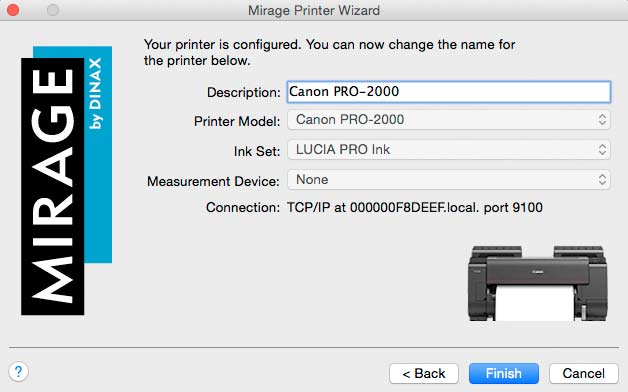
You’ll need to tell the software about your printers – it’s detected the PRO-2000 I’m reviewing, and my own iPF8300 elsewhere on our network (multiple printers are supported)

It lets me name the device, and can support some inbuilt measurement devices.
The PRO-2000 has no measurement device options (unlike the Canon iPF6450 and Epson P7000 printers I reviewed a while ago). These spectrophotometers are much more aimed at the proofing market – not an area I work in.
Using the software
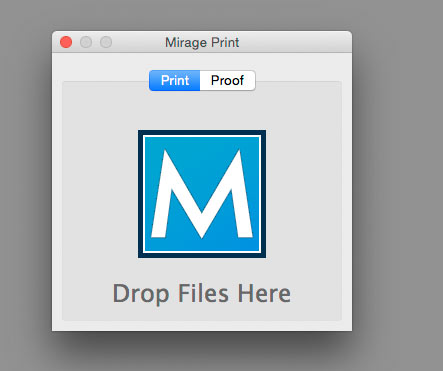
The simplest way to print files is to open the application and just drop files on to the big ‘M’
From Photoshop I just call up the Mirage plugin for the image I’m looking to print, or even multiple images

The dialogue box for printing shows a lot of options.
Here, I’m selecting the media type to be used and have specified an extension to the image for mounting the print on stretcher bars.

There is a good example of all the settings on the User Interface page of the Mirage web site.
Settings and preferences
Getting the best from the software will need a careful look through the preferences – this is the sort of thing you should definitely have a read through the manual and think about before rushing ahead into printing.
Colour management options are a case in point, where deciding on how the software deals with with profiles by default matters.
The defaults are OK if printing from LR or Photoshop, since the document profiles will be respected. If you’re printing files directly and especially if you’ve not opened them to check, unknown/missing colour profiles can be an issue.

For the printer’s known media types, you can also specify your own ICC profiles.

Profiles created for normal printing with Photoshop, work fine here.
Printing is available with the usual rendering intents. Mirage uses the Adobe CMM and BPC is always enabled where relevant.

The software also has its own print queue and allows you to archive jobs.
Whilst the Canon printer driver offer the option to just download a print job to the printer’s hard disk, there is only the print immediately option from Mirage, unless you pause the print queue.

Four big prints
During print testing, I decided to print four photos on a roll of Canon Satin 200 gsm paper.
The four images can be seen in the document window to the right, whilst I’m adjusting the margins on one of the images.

Each image can be individually sized – you can tile images as well.
Note that the B&W print mode of the Canon printer driver is not supported, so this B&W image is being printed using an ICC colour profile.

Once printing is underway, there is very good feedback on the progress of printing.

Here’s the first print coming out of the PRO-2000

secondly the B&W one – I’ve not specified cutting between prints for this example.

It just so happened that two ink carts became fully empty during the printing – fortunately the PRO-2000 supports ‘hot swap’ ink changing, and printing carried on whilst I changed ink carts.
At the end of the printing, the ink display shows the two carts that were replaced.

A giant print
Several years ago I created a huge panoramic print, some 14 metres long.
Printing it raised many issues with my Canon iPF8300 at the time – many caused by a 2 GB limit in the Photoshop print process.
This limit still applies. If I print a TIFF file from the Mac Preview application, I hit a 4 GB limit. The panorama is 6 GB as an 8 bit file.
Mirage happily opens the 6 GB .PSB Photoshop file from within Photoshop.

Now, on the 24″ PRO-2000 I don’t really need to print a 600ppi file, but the point is that it is fine with that amount of data.
Custom media types
Media types are supported for a range of OEM and third party media.
You can load media information files (from Dinax) or duplicate and modify existing ones.

I could duplicate (and rename) a Canon base media type and then select my own profiles to go with it.
There are some third party media types available.

Unfortunately none of the paper brands I use at all for my own work – or some of the popular US ones I get asked about.
Building my custom papers
Creating custom media types with the MCT software is a key part of my use of Canon printers like this.
These are loaded into the printer (and printer driver), but unfortunately don’t appear in the list of available types.
If I’ve just based my custom media on a Canon base media type, with no adjustments, that’s OK, but If I’ve altered ink density and optimised paper feeding, then this work is lost.
For most people this won’t be an issue, but given that I’ve created custom media types for all my regular papers, it represents quite a bit of extra work for a printer like my iPF8300 which I’ve had for several years.
A more serious issue is that I use the BW print mode and (if need be) linearise it for specific papers for much of my B&W printing.
For the latest Epson and Canon printers, the B&W print mode has been optimised still further, and can sometimes give deeper blacks and smoother transitions than using a colour ICC profile.
So what to make of the Mirage package?
Conclusions
The software is very easy to use and offers a good consistent means of printing with large format printers such as the Canon PRO-2000.
The print quality and colour management options give the best results the printer can manage for many media.
If you use several different bits of software for creating your images, then Mirage offers a way of consolidating all your printing into one application.
I’ve not looked at the proofing side of the software in any detail.
The FOGRA certified support makes the software suited to production environments, where absolute consistency is of much more importance than my own need for making prints that ‘look good’.

I appreciate that not many people would be troubled by the lack of custom media support, but I would love to see support for the B&W print mode of the Canon and Epson drivers. That would make this an even more interesting option for the discerning monochrome print maker.
When it comes down to it, the one big feature that I could so much have done with in 2012 is the ability to print any file that Photoshop can open.
Sure, the printer manufacturers say how long media their printers can support, but if you can’t get the data through the print pipeline, then it counts for nothing.
Here’s the seven metre version (on 24″ paper) of my 14m exhibition print (on 44″ canvas)

Well worth a try of the fully functional demo version
Available from Mirage (Dinax).
Related info. on our site that may be of interest
-- --
Never miss a new article or review - Sign up for our Newsletter (2-4 a month max.)More print related information from Keith
...or use the search box at the top of any pageReference pages and test images
- Printer Test Images
- B&W printer test image
- Printer cleaning
- Paper reviews
- Printer info/news/speculation Canon | Epson
No more Google ads. Too many deceptive and irritating adverts.
Any ad links left are non tracking, to companies we know, trust and we've worked with for years [Park Cameras]
Ads helped pay for site running costs, so if you found something useful, please
...Make small KoFi donation?
...Subscribe to Keith's YouTube Channel
...Get Keith's book about how to use tilt/shift lenses
Our site contains affiliate links - these help support the site. See our Advertising policies for more
Mohamed Marjuk | Aug 2, 2019 at 12:21 pm
is that software good for canvas printing
can you help me on this
Keith Cooper | Mar 23, 2017 at 5:00 pm
Thanks for noting this here
John | Mar 23, 2017 at 4:20 pm
Upon checking it seems version 3.5.5 fixed Custom Media types in Mirage and the latest 3.6.0 now adds Canon Gray print mode.
Keith Cooper | Mar 11, 2017 at 4:23 pm
Sorry – that’s currently a firmware limitation imposed by Canon.
They did update it, but only by a small amount :-(
vasile | Mar 11, 2017 at 3:14 pm
any of these wonderful software could bypass the canon 1000 length limitation?