


Fixing your lens imperfections
Fixing your lens imperfections
DxO Optics Pro review: Some great new software almost hits the mark

No more Google ads. Too many deceptive and irritating adverts.
Any ad links left are non tracking, to companies we know, trust and we've worked with for years [Park Cameras]
Ads helped pay for site running costs, so if you found something useful, please
...Make small KoFi donation?
...Subscribe to Keith's YouTube Channel
...Get Keith's book about how to use tilt/shift lenses
Our site contains affiliate links - these help support the site. See our Advertising policies for more
Lenses are nowhere near perfect.
There are all kinds of distortions and faults laying in the image that your sensor captures (some from the sensor as well).

Fixing camera image faults
In this short article Keith reviews a package that may well become the standard in lens correction software.
Update Note. Newer DxO product reviews are listed by category.
What is wrong with your image?
If you have read the article on ‘Why use Raw format‘ you will have seen example of chromatic aberration, and how I was able to ‘fix’ some of it using Photoshop CS RAW import.
Well the false colours are not the only problem you get with a very wide angle lens, like the Canon 16-35L that I use for a lot of shots.
There are also geometry problems such as pincushion and barrel distortions.
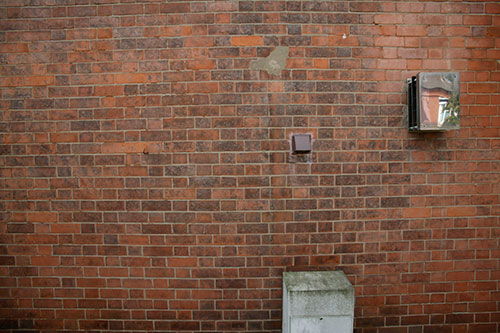
 The picture below was taken of a house wall just around the corner from where I live.
Brick wall – Canon EOS 1Ds 16-35L at 16mm (reduced from 4064×2704)
In many pictures this distortion of straight lines and vignetting would not be too noticeable – but brick walls…
Later I’ll show what DxO Optics Pro can do for this image
What does the software do?
If you measure all the distortion that a lens produces, then you should in theory be able to mathematically manipulate the image data from a camera to remove the distortion. Sounds easy, but it is not. Only recently have personal computers become powerful enough to be able to do this intensive number crunching. DxO also produce lens analysis software and are known for their accuracy. The software supports a growing number of lenses and cameras (full list). All three lenses I regularly use with my 1Ds are supported which is great.

You get the software in modules which cover specific cameras and lenses.
There are four areas of your image that the software currently addresses:
- Geometric distortions – this includes barrel and pincushion distortion, along with more complex patterns.
- Vignetting – Where the brightness of your image falls off towards the edges of the picture.
- Blur or Lack of sharpness – This corrects some of the blurring introduced by your lens/camera combination. It does not extract detail where there was none, it just gets the best from what there is in the image.
- Lateral Chromatic Aberrations. This is a where different colours focus at slightly different places on your image sensor, giving coloured fringes. It is important to remember that some false colours are produced by other means, such as the RAW image processing software handling blown out highlights.
The software is simple and intuitive to use – it gets lens information from the files EXIF data, and asks you for any additional info it might need. Just drop files onto the conversion window and off it goes – that’s it.
Does it work?
In a word – YES. The changes are quite obvious. If you put your mouse over each of the images below, the corrected version will appear. All were shot with the 16-35 lens on my 1Ds.
35mm-21mm-16mm views
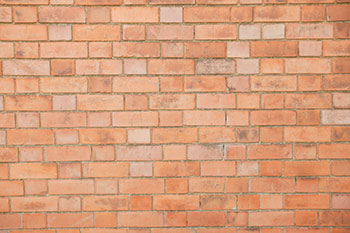
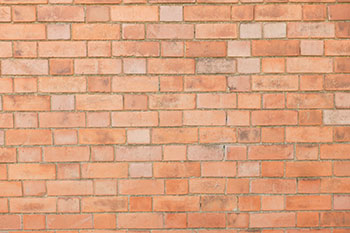
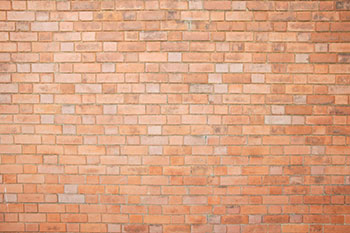


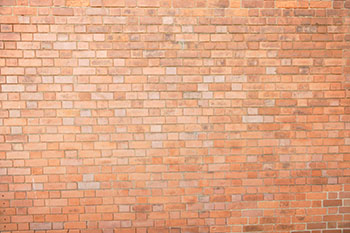
Those three images show the correction of distortion and vignetting quite well, what about the chromatic aberration?
The image below shows a heater vent with a reflection of a house over the road. At the size I’ve had to shrink these images to show them on the web, you can hardly notice the more subtle corrections. However look at the 100% scale crop of the heater – this image is unsharpened.
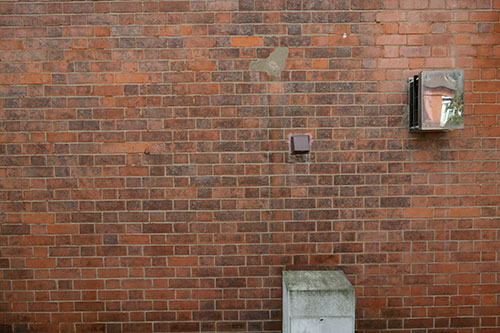

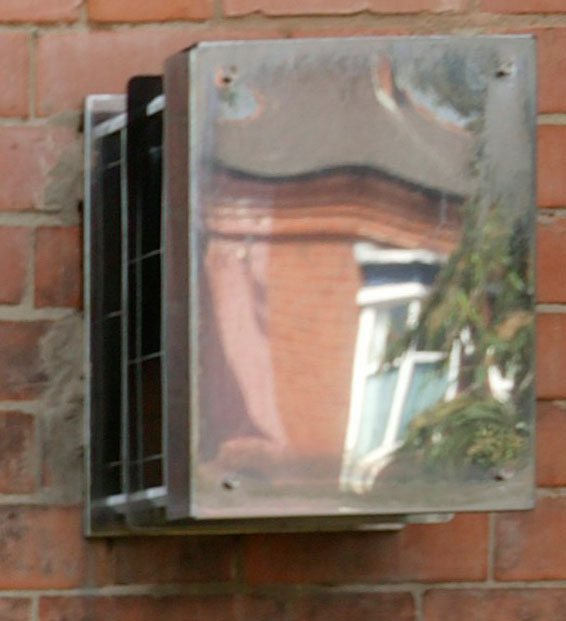
Section showing increased detail and colour correction.
What about pictures that don’t contain an obvious grid pattern?
A more realistic shot of an ugly car parked outside of my house – one version is corrected. can you see which?
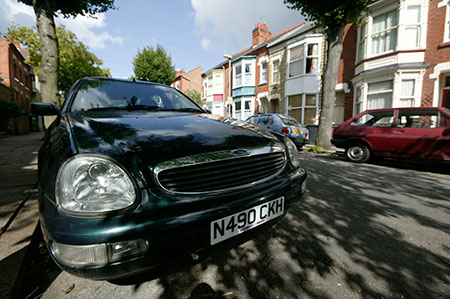
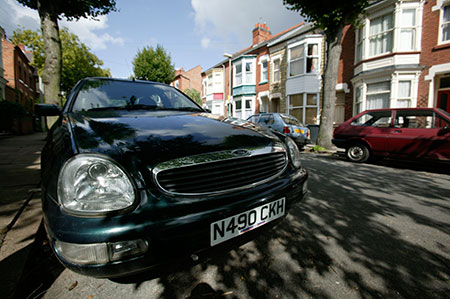
Notice that at 16mm focal length, the perspective is warped enough that you do not notice the distortions as quickly as with the brick wall (it’s the first image that is the corrected version).
Is there a downside?
From the results above you’d think I’d be using this on many of my images shot with the 16-35? Unfortunately it only (currently) works on 8 bit JPEG images. That’s why the examples I’ve used were specially shot. I tend to shoot RAW format all the time, with lower res. JPEGs saved as well (1Ds RAW+Jpeg mode). I did try to get it to correct a JPEG made from one of my RAW pictures, unfortunately the software spotted this and would have none of it.
If your camera/lens is not covered then the software just won’t work – not surprising given the amount of work needed to prepare the correction parameters for the software.
Summary
Wonderful, brilliant software, BUT of limited use to -me- for my most critical work, where it would be most useful.
That’s the paradox of the current version – many of the people who would most benefit from the improvements probably can’t use it. If you shoot JPEGs in your camera then this is for you. I sometimes only use JPEG, but most of the time I’m looking for the extra flexibility and quality that RAW files give me.
All is not lost however … DxO promise a RAW processing version in the near future. To me, software like this is one more reason that I keep all my best shots in RAW format. New software and faster computers give me the option of producing even better prints from some of my favourites.
Never miss a new article or review - Sign up for our occasional (ad-free) Newsletter
and please do subscribe to Keith's YouTube Channel

Other areas of our site that may be of interest...
All the latest articles/reviews and photo news items appear on Keith's Photo blog

Keith explains tilt and shift lenses
Keith has written a book that looks at the many ways that tilt/shift lenses can benefit your photography from a technical and creative point of view. If not in the UK check for import issues and maybe try an on-line bookshop. Keith has no connection with sales of the book.
ISBN 9781785007712
There is also a specific index page on the site with links to all Keith's articles, reviews and videos about using tilt and shift.
We've a whole section of the site devoted to Digital Black and White photography and printing. It covers all of Keith's specialist articles and reviews. Other sections include Colour management and Keith's camera hacks - there are over 1200 articles/reviews here...
Adverts removed