


Canon iPF6450/iPF6400 printer reviews
Review articles related to the Canon iPF6450/6400 printer
Review and setup information for Canon wide format printers
Articles and reviews related to testing the Canon iPF6450/6400 24 inch wide format printer. Includes paper reviews and SU-21 Spectrophotometer set-up and operation.

No more Google ads. Too many deceptive and irritating adverts.
Any ad links left are non tracking, to companies we know, trust and we've worked with for years [Park Cameras]
Ads helped pay for site running costs, so if you found something useful, please
...Make small KoFi donation?
...Subscribe to Keith's YouTube Channel
...Get Keith's book about how to use tilt/shift lenses
Our site contains affiliate links - these help support the site. See our Advertising policies for more
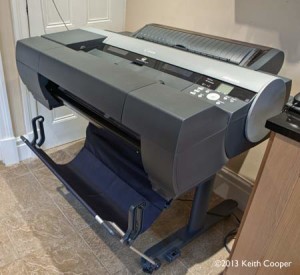
iPF6450 with optional SU-21 Spectrophotometer unit
Collected Canon iPFx4xx printer reviews – the 6400/6450
After a lot of testing, I’ve published a whole series of reviews connected with the Canon iPF6450 24″ wide format printer.
The iPF6450 is essentially the same as the iPF6400, but with an internal hard disk. The iPF8400 and iPF9400 are the 44″ and 60″ versions of the printer.
The SU-21 spectrophotometer unit and several papers are also covered in separate articles [it only works with the iPF6450]
- iPF6450/6400 review
- Optional Canon SU-21 spectrophotometer unit – review
- Assembling and setting up the iPF6450
- Setting up the SU-21 spectrophotometer
There are four short paper reviews I’ve written based on the testing
- Hahnemuhle Albrecht Durer 210gsm
- Innova IFA 23 ‘Decor’ Textured 245gsm
- Innova IFA39 FibaPrint matte 280gsm
- Hahnemuhle Photo Rag bright white 310gsm
The 12 ink iPF6450 spent a while here, so please do feel free to ask if you have any questions?
I’ve tested the full range of large Canon printers, from the iPF6100 and iPF6300 right up to the 2016 PRO-2000, the successor to the iPF6450.
-- --
Never miss a new article or review - Sign up for our Newsletter (2-4 a month max.)More print related information from Keith
...or use the search box at the top of any pageReference pages and test images
- Printer Test Images
- B&W printer test image
- Printer cleaning
- Paper reviews
- Printer info/news/speculation Canon | Epson
Adverts removed
Peter Thomas Crymble | Jul 8, 2015 at 4:18 pm
ok cool – will do! Thanks for help.
kacoooper | Jul 8, 2015 at 8:56 am
Unfortunately if this happens with a paper (and you are definitely using the right black ink) then the only real way is to find an alternative paper.
Have a look at some of the Innova range, which are what I use here in the UK for such prints.
Peter Thomas Crymble | Jul 8, 2015 at 7:19 am
Hi there – thanks for all your articles. I have a Canon ipf6400 which is great – and printing on hahnemuhle photo rag 308gsm – its gorgeous. However, I find when printing black (ish) background images from our studio, they are exceptionally easily damaged. Literally one touch and the ink can lift off. The framer is damaging them easily, causing us to reprint. Have you any thoughts or tips?