


Video: Feelworld FW586 V3 monitor
Feelworld FW568 V3 monitor
HD 6″ external video monitor
Visit Keith’s YouTube Channel – Full index of all of Keith’s 600+ photography/printing videos

No more Google ads. Too many deceptive and irritating adverts.
Any ad links left are non tracking, to companies we know, trust and we've worked with for years [Park Cameras]
Ads helped pay for site running costs, so if you found something useful, please
...Make small KoFi donation?
...Subscribe to Keith's YouTube Channel
...Get Keith's book about how to use tilt/shift lenses
Our site contains affiliate links - these help support the site. See our Advertising policies for more
Using the Feelworld FW568 external HDMI monitor
The Feelworld FW586 is a six inch external video monitor. It HD video resolution, but accepts 4k signals and has full HDMI passthrough.
Manufacturer’s info page | Buy at Amazon [£130]
I’m very much using it as a basic external monitor, especially with my Canon 5DS, which whilst it may record just fine at HD, has a screen that just isn’t big enough – especially with my need for strong glasses for close viewing. Whilst it comes with a detachable monitor hood, you might want to consider a higher brightness model.

Feelworld FW568 Basic Specs
- 6 Inch 4K Camera Field Monitor,
- FULL HD 1920×1080
- 3D lUT DSLR Camera Monitor with 2800mAh Battery
- Carry Case
- Sunshine Hood
- HDMI Input Output
- Tilt Arm Power
- DC Output for Stabiliser
What you get
- 1x Feelworld FW568 V3 camera monitor
- 1x Micro HDMI Cable
- 1x Extra F550C Battery ( for charging)
- 1x USB-C charge cable
- 1x Extra Carrying Bag
- 1x Sunshade
- 1x Tilt Arm
- 1x User Manual.
I’ll list some of the advanced specs later, but for myself it’s just simple to use.

Feelworld FW568 Controls
There is a row of buttons along the top. The power button at the right switches everything on. In this case it’s powered by the Sony NP-F570 style battery clipped on the back.
There are a lot of functions, but you can save a selection as pre-sets for the F1,3 buttons on top.

The battery just clips on if you press the button above it.
I note though that the battery socket also accepts the same LP-E6 batteries used in my Canon 5Ds.

The battery supplied has a USB socket for easy charging [note the four dots which if you press the button, light up to show charge level]
The device draws some power, even if off. The front power indicator light is red if a battery is attached. Presumably this helps you remember to remove the battery when not in use.

Simple [full size] HDMI in and out sockets. The screen comes with an HDMI cable, but it’s a Full->Micro one and my cameras have mini HDMI.
The basic power in here is 12V, but there is a USB C socket underneath which can power the screen, as well as be used for flash drives for firmware or LUT updates.

Using the screen
As I said, there are a lot of functions…
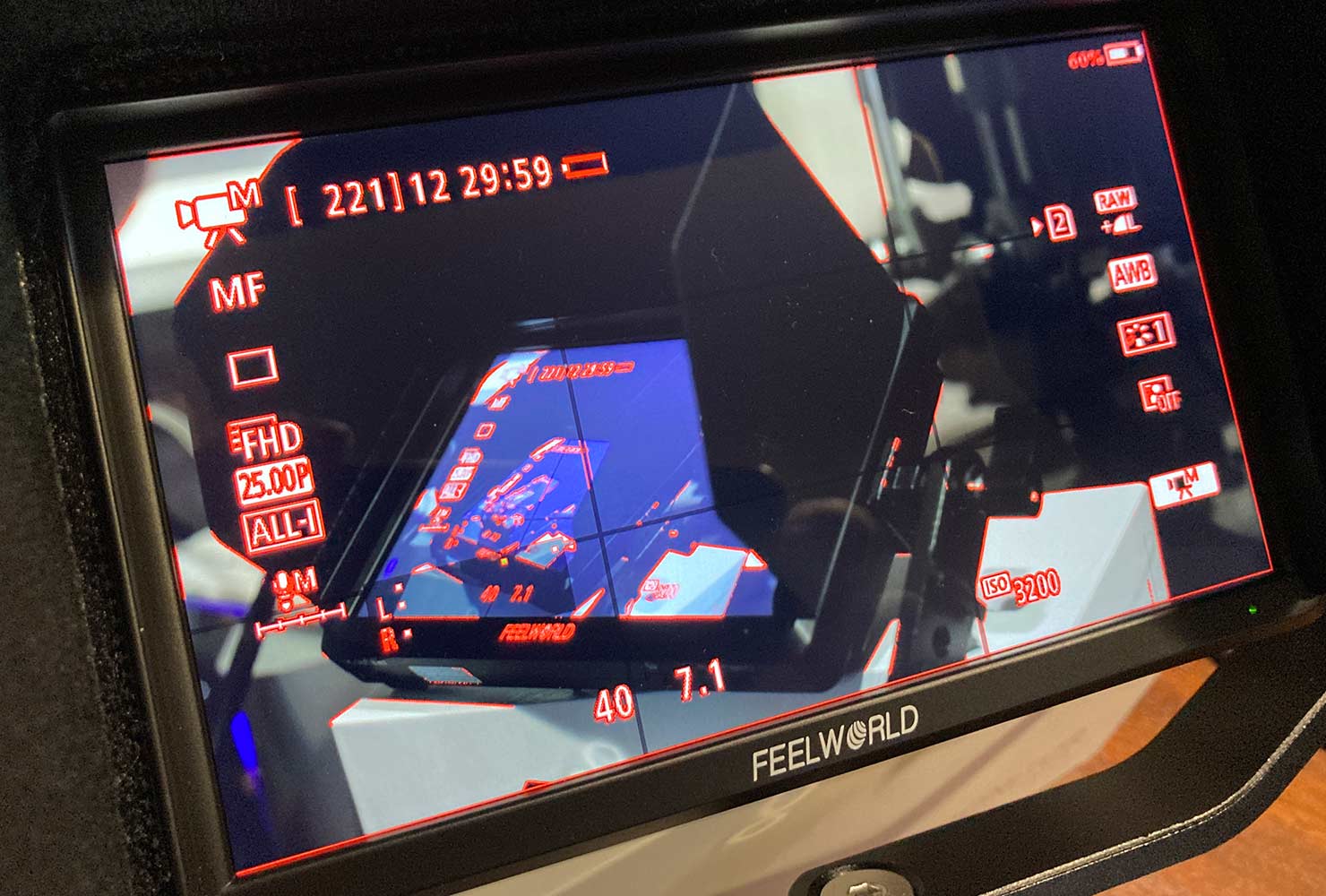
Most useful for my setting up are the waveforms – this is the whole lot – you can just select what you want.

Focus peaking, whilst working with interface elements, was a bit too imprecise with images via the lens.
The mounting bracket is not meant for robust use.
It worked fine until I wanted to adjust the angle of the arm on the hot shoe. Loosen this and you will need an Allen key to tighten it.

The actual side [and bottom] attachment points for the monitor [1/4″ screw] are much more solid. As with any use outdoors, I suspect you’d want a more solid rig to attach your screen.
Feelworld FW568 Detailed specs
- High Resolution: Full HD 1920×1152
- High Contrast: 1000:1
- High Brightness: 500cd/m²
- 160° wide viewing angles IPS Panel
- Provides auxiliary power out; allowing shooters to power their cameras
- Custom 3D LUT import (up to 32)
- All waves
- Waveform (RGB, Y, YUV)
- Histogram (RGB1, Y, RGB2)
- Peaking Focus Assist (Red,Green,Blue three colors optional highlight over parts of the image in focus)
- False Colors
- Zebra Exposure
- Nine Grid
- Scan Mode (Under Scan, Over Scan)
- Zoom (4x,9x,16x)
- Anamorphic Mode (1.3x, 2.0x, 2.0x mag, User-defined adjustment: 1.20X~2.00X)
- Pixel to Pixel
- Center Marker
- Safe Area (80%,85%,90%,93%,96%,2.35:1)
- Ratio marker (4:3,13:9,14:9,15:9,16:9,1.85:1,2.35:1)
- Marker Color (Red,Green,Blue,White,Black)
- Check Field (Red/Green/Blue/Mono)
- Image Flip (H, V, H/V)
- Image Freeze
- Zoom All (0~500 adjustable)
- U/D & L/R Zoom (0~500 adjustable)
- Color Temperature Adjustment
Feelworld FW568 Video overview
Never miss a new article or review - Sign up for our occasional (ad-free) Newsletter
and please do subscribe to Keith's YouTube Channel

Other areas of our site that may be of interest...
All the latest articles/reviews and photo news items appear on Keith's Photo blog

Keith explains tilt and shift lenses
Keith has written a book that looks at the many ways that tilt/shift lenses can benefit your photography from a technical and creative point of view. If not in the UK check for import issues and maybe try an on-line bookshop. Keith has no connection with sales of the book.
ISBN 9781785007712
There is also a specific index page on the site with links to all Keith's articles, reviews and videos about using tilt and shift.
We've a whole section of the site devoted to Digital Black and White photography and printing. It covers all of Keith's specialist articles and reviews. Other sections include Colour management and Keith's camera hacks - there are over 1200 articles/reviews here...
Adverts removed