


Epson P5000 error code 1433 repair
Epson P5000 error code 1433
A new capping station is needed

Keith has removed all Google ads. Too many deceptive and irritating adverts.
Any ad links left are non tracking, to companies we know, trust and we've worked with for years [Park Cameras]
Ads helped pay for site running costs, so if you found something useful, please
...Make small KoFi donation?
...Subscribe to Keith's YouTube Channel
...Get Keith's book about how to use tilt/shift lenses
Our site contains affiliate links - these help support the site. See our Advertising policies for more
Long after Keith’s detailed review and subsequent paper and print related articles with the P5000, we had a problem with it.
Intermittently the printer would stop with a 1433 service code
Call For Service – Code 1433. Power off and then on. If this doesn’t work, note the code and call for service.
The printer has worked flawlessly for several years, with excellent results. On previous occasions it has jsut needed restarting – the error tended to happen during cleaning.
A check with Epson shows that 1433 most often means a new capping station is required.
Note: This is mainly an article for the mechanically curious since the capping station is not a user replaceable part

Epson printer repair – service code 1433
The P5000 1433 error code gives no more information other than to switch off and on again and call service if it isn’t fixed.
There is little info about this, but it is sometimes listed as:
“Error Code 1433: IS Unit position sensor error”
Basically, the printer becomes confused as to the actual position of parts in the capping station and wants to start again.
The full description gives three potential causes
Positions of the ink system components do not match with the sensor condition.
- Connection failure of the sensor
- Sensor failure
- IS Unit failure
Although the service manual suggests tests to isolate the cause, the normal fix is to update the whole unit – I noted that the new one was several manufacturing revisions ahead of the old one. This is one benefit of getting a printer that has been around for a few years.
Not the firmware
In many on-line articles I found references to P5000 error code 1433 being due to out of date or corrupted firmware. It isn’t.
I did recently update the firmware just to be sure – it fixed nothing.
A service call
In the UK, if I had a larger Epson printer and it needed work, one of my first calls would be to Epson service.
In the UK the best approach is probably to go via their contact info page. I note that they offer fixed price repairs for printers (i.e. all parts included as needed). However, if you didn’t get the extended warranty, it will cost you £1000 + VAT (£1200)
You can extend your warranty (it includes print heads) but remember that warranties don’t include dropping foreign objects into the printer – I noted this, the last time the printer was serviced when a pape clip fell into the printer and cracked the print head.
The Capping Station
This is the capping station, left with me after the replacement ( I now have two of them in my junk box, one faulty, and one replaced when the head was replaced in 2018)
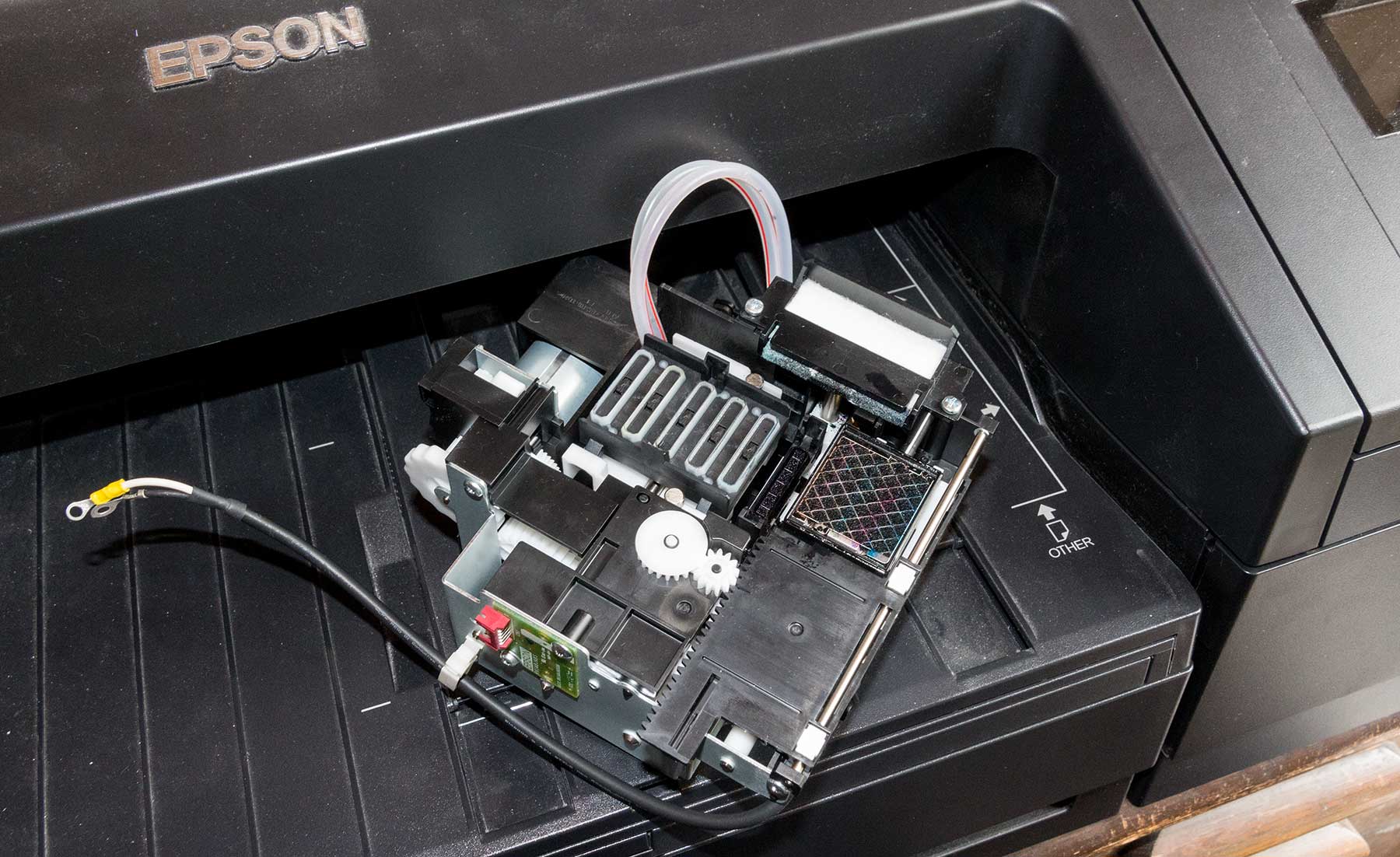
What does it do
The capping station has a number of functions.
- 1 It caps the print heads when not in use
- 2 It has a wiper blade for cleaning any of the 5 pairs of ink channel nozzles
- 3 It has a cap unit that draws ink out of any channel pair during cleaning
- 4 It has an automatic ink detection unit, to tell on a nozzle by nozzle basis if a nozzle is firing – this is the basis of the printless nozzle check
- 5 It has a pump that takes excess ink from 3&4 and sends it to the maintenance cart
- 6 It has a latch to hold the carriage in place when the printer is off
There are many more detailed photos of the capping station and what it does in my article written after the P5000 print head was replaced
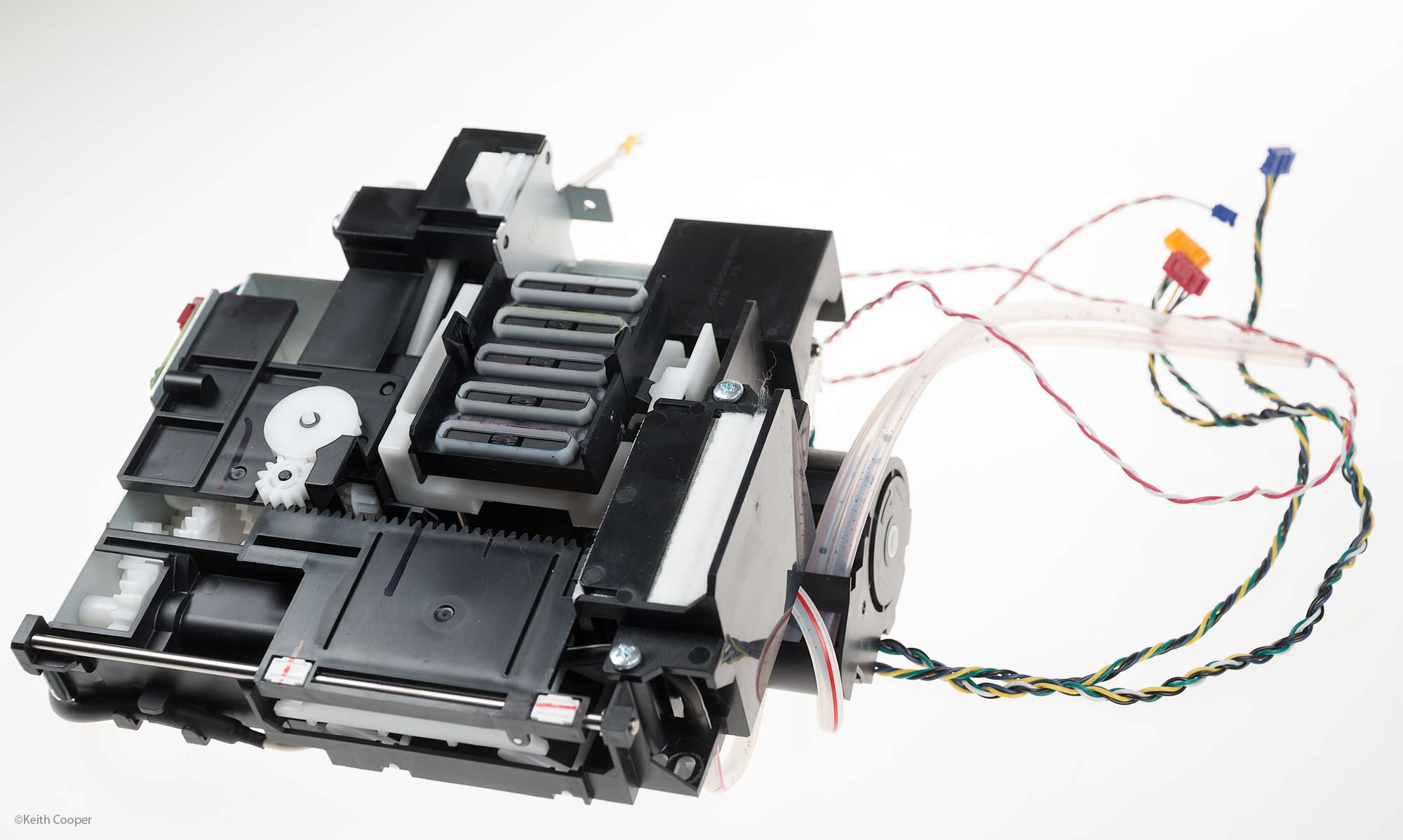
The unit itself is just held in place with a few screws, with electrical connections to the main printer electronics.
All the functions come from the actions of just one motor.
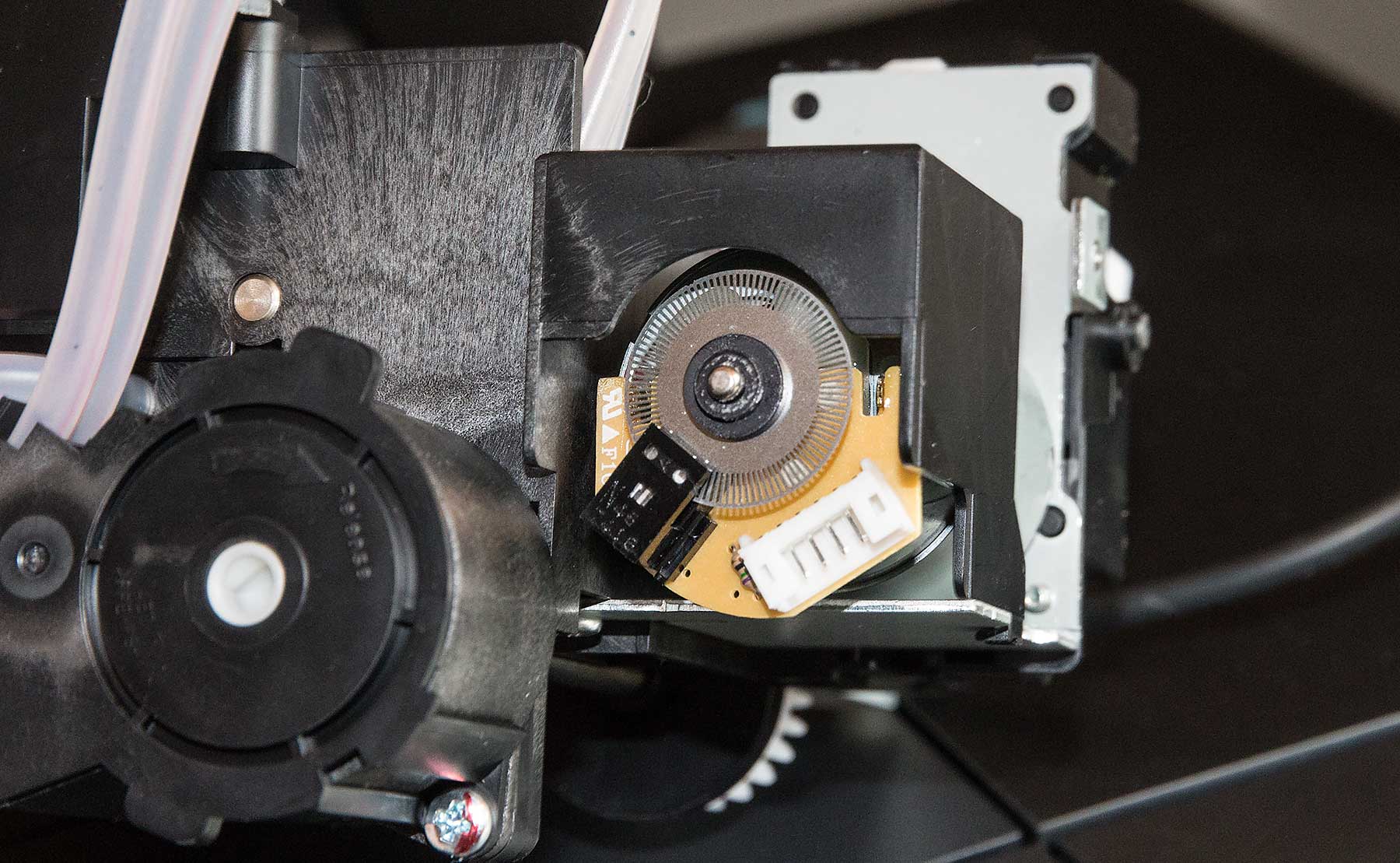
Here’s one of the position sensors – the fault could be as little as printer dust inside it – but the repair is to replace the whole unit.
Anyway, it all works perfectly again.
The Epson service engineer checked firmware and carried out a number of other adjustments, checking print quality and other functions.
Never miss a new article or review - Sign up for our occasional (ad-free) Newsletter
and please do subscribe to Keith's YouTube Channel

Other areas of our site that may be of interest...
All the latest articles/reviews and photo news items appear on Keith's Photo blog

Keith explains tilt and shift lenses
Keith has written a book that looks at the many ways that tilt/shift lenses can benefit your photography from a technical and creative point of view. If not in the UK check for import issues and maybe try an on-line bookshop. Keith has no connection with sales of the book.
ISBN 9781785007712
There is also a specific index page on the site with links to all Keith's articles, reviews and videos about using tilt and shift.
We've a whole section of the site devoted to Digital Black and White photography and printing. It covers all of Keith's specialist articles and reviews. Other sections include Colour management and Keith's camera hacks - there are over 1200 articles/reviews here...
We're an Amazon.com affiliate, so receive payment if you buy via Amazon US