


Information and links for old Apple Macs
Links and Info — Apple Macintosh
Our collection of older Mac info
…mostly 68k and PPC macs A/UX and pre OS X 10.6

No more Google ads. Too many deceptive and irritating adverts.
Any ad links left are non tracking, to companies we know, trust and we've worked with for years [Park Cameras]
Ads helped pay for site running costs, so if you found something useful, please
...Make small KoFi donation?
...Subscribe to Keith's YouTube Channel
...Get Keith's book about how to use tilt/shift lenses
Our site contains affiliate links - these help support the site. See our Advertising policies for more
Most links here are more specifically related to Older Apple Macintosh issues.
Please note that Northlight no longer supplies Apple Mac support and consultancy services in Leicester and the UK East Midlands.
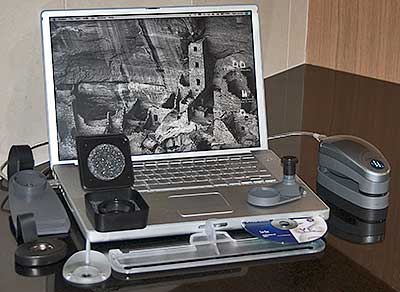
Most info here predates OS X 10.6 – We’ve left a lot of older stuff in the list, since Macs tend to get used a long time and certain info can take a bit of finding.
Broken links – where a link is broken, and we know, they may have been replaced with a link to an archive copy on archive.org
If you find broken link then got to archive .org and paste in the URL. With any luck the page will have been archived.
We have usability and design page which has info relevant to any platform.
A <404?> next to any link means we think it may be dead but it will be kept in the list for a while.
The page is not regularly updated any more – it’s actually our repository of old Mac info for all the old kit we have ;-)
General links
- https://web.archive.org/web/20050824165620/http://themachelpdesk.com/
The MacHelpDesk.com :: help from 2005 - http://www.macmegasite.com/index.php
The MacMegasite - http://hardwarehell.com/macintos.shtml
Varied Apple Info from Hardware Hell - https://web.archive.org/web/20070117070615/http://www.idvd.ca/dvd-formats-explained.htm
Short guide to the different types of DVD format [A] - http://www.atpm.com/network/
A good introduction to networking your Macs (from 2001) - https://web.archive.org/web/20050815081920/http://www.apple.com/itpro/
Info from Apple for IT managers (archive lets you see the less glossy versions from 2005)
Leopard (osx 10.5) issues
- https://web.archive.org/web/20071031124118/http://www.macfixit.com/article.php?story=20071030122926454
OSX Leopard 10.5 compatibility note
HOWEVER – the accuracy of some of this info was questioned at the time, so do check further, such as the tidbits article below - http://db.tidbits.com/article/9281
Good list of leopard compatability items
Macs and Windows
- http://support.dataviz.com/support.srch?DocID=1309
What are those pesky Winmail.dat files you get from some PCs – and how to stop it!
It can be down to a mis-configured MS Exchange server somewhere…
You can get a bit of freeware from https://web.archive.org/web/20051202022636/http://www.joshjacob.com/macdev/tnef/ that will decode the winmail.dat files and extract the attachment. - http://www.macwindows.com
Comprehensive site covering Mac <-> Windows Integration - https://web.archive.org/web/20060813111855/http://www.apple.com/uk/macosx/features/windows/
Macs and Windows PCs working together — from Apple [2006] - https://web.archive.org/web/20030621084522/http://www.microsoft.com/mac/resources/resources_main.asp?embfname=exchange.asp
What’s available from Microsoft for Macs working with Exchange servers [2003] - https://web.archive.org/web/20051211185401/http://www.absynthespad.com/macintosh/ldaptoad.html
A guide to using LDAPv3 with Active Directory [2005] - http://www.emailman.com/conversion/#addrmac
Moving email and address books between platforms and packages
Intel Macs
- http://www.appleintelfaq.com/
Lots of FAQs about the change to Intel chips in Macs - http://www.osx86project.org/
News and views on the change - http://db.tidbits.com/getbits.acgi?tbart=08405
All about using external disks to boot up your Mac – there are fundamental differences between PowerPC Macs and Intel Macs — check carefully if you wanted an external boot disk to boot OS X on both sorts of Mac. - SheepShaver – brings back Classic to Intel Macs (I still have one 1987 vintage game that I like – it has to run on an Intel Mac when I get one :-)
OS X Printing
- http://gimp-print.sourceforge.net/MacOSX.php3
Gimp print drivers for OS X 10.2 and higher (includes an uninstaller for removing the default set of Gimp-print drivers installed by OSX) - http://www.allosx.com/1031773924/index_html
ESP Ghostscript (also available at the link above) - http://www.18james.com/osx_printer_sharing.html
All about sharing your OS X printers - http://www.linuxprinting.org/macosx/
Mac OS X Printing at LinuxPrinting.org - http://www.linuxprinting.org/macosx/hpijs/
HPIJS for OS X - http://hpinkjet.sourceforge.net/productssupported.php
HP Inkjet Products Supported by HPIJS - http://www.linuxprinting.org/show_driver.cgi?driver=hpijs
More hpijs info - http://www.fixamac.net/software/pcr/index.html
Print Center Repair. A useful and powerful (read the instructions!) utility that can help with some printer related problems. You might also want to look at the repair permissions option with Disk Utility (the copy in your utilities folder) Use the new version ‘Printer Setup Repair’ for 10.3 (Very useful utility – KC) - http://www.creativepro.com/story/feature/15266-1.html
An article on managing fonts under OSX - http://www.computer-darkroom.com/ps7_page/page_layout.htm
Advice on the problems faced trying to print centred prints on an Epson printer using OSX and Photoshop 7 - http://www.macfixit.com/article.php?story =20030718081804910
Margin print area problems discussed on MacFixit
There is more, general printing information on the Photo links page
OS X info
- http://www.macintouch.com/tigercompat.html
Updated 3rd party software for OS X 10.4 (Tiger), covers Upgrades and compatibility issues.
General incompatibility gripes are mentioned at:
http://www.macintouch.com/tigerreview/incompatibility.html
Note that these are individual comments and may not be generally applicable (but worth knowing about) - What’s new in 10.4 — Two very informative articles
Client side:http://arstechnica.com/reviews/os/macosx-10.4.ars
Server side:http://www.afp548.com/article.php?story=2005041722220621 - MacOS X Info
- http://www.macattorney.com/panther.html
Collection of useful OS X 10.3 (Panther) issues. Particularly useful when hardware such as scanners, that are OK in 10.2 just don’t work with 10.3 - http://eshop.macsales.com/OSXCenter/XPostFacto/
Other World Computing: OS X for Legacy Macs. This is what we use on our test web server to get 10.3 running on a 9500 (with G3/400 card) and 10.3 server on a 9600 (G4/450 card) - http://www.macosxhints.com/
Mac OS X Hints – Get the most from X! - Mac OS X Hints – A collection of UNIX tips
- http://www.OSXFAQ.com/Tutorials/LearningCenter/index.ws
All about the UNIX side of OS X – for Mac users - http://opendarwin.org/documentation/index.php
Useful Darwin/OS X information, including Network configuration and Automounting filesystems - http://www.mac512.com/osx/mailfaqie.htm
Mail and OSX – some info - http://www.macfixit.com/
Hints and tips on how to sort out a troubled Mac - http://www.macfixit.com/staticpages/index.php?page=20021025143249142
Great collection of some of the best OSX utilities - http://www.index-site.com/Macosxspeed.html
Whats slowing down your Mac? The OS X speed FAQ – lots of very useful tips pulled together
Some specific Mac Applications
- http://andrewescobar.com/archive/2006/05/13/frontrow122/
Installing Front Row on any new Mac - http://docs.info.apple.com/article.html?artnum=93208
Troubleshooting video conferencing with iChatAV – firewall settings.
When using the built-in Mac OS X firewall, you only need to open these ports: 5060, 5190, 5297, 5298
A “simple” firewall only allows you to open or close ports, without any additional criteria. If you have one of these, then you should open these ports: 5060, 5190, 5298, 5353, 5678, 16384-16403
If that does not work, try opening all ports in this range: 1024-65535 - http://www.sustworks.com/site/downloads.html
Sustainable Softworks – Network software - http://www.hamrick.com/vsm.html
VueScan – Scanner Software. Very good value, and available for PCs as well. There is more, general scanning information on the our Photography Links page. - http://personalpages.tds.net/~brian_hill/brickhouse.html
Front end for the OS X built-in firewall - http://opendarwin.org/projects/darwinports/en/x11.php
Darwin ports of X11 apps for the Mac, making use of Apples new X11 http://www.apple.com/macosx/x11/ Site includes the image editor Gimp - http://www.gimp.org/
Home of The GNU Image Manipulation Program — Software and resources A book covering almost everything you’ll want to know about the GIMP is at http://gimp-savvy.com/BOOK/ - http://oroborosx.sourceforge.net/
Oroborus for Mac OS X (X11) (link kept for old systems, since X is now directly available)
Collections of Mac software
Fink – Home
Open Source Unix software for your Mac
- Mac OS X Apps – The Source For Mac OS X Software
- Aquafiles – Mac OS X software director
- MacUpdate: Macintosh Software & Game
- http://www.mirror.ac.uk/platform/macintosh/
Mirrors of many popular Macintosh software sites - Macintosh Software Updates – VersionTracker.com
- Tucows Macintosh
- Apple Software Updates
- Macintosh Web Browsers
Mac admin
- macosxlabs.org – What’s New
- Mac OS X 10.2 (Jaguar) Cross-Platform Issues
- http://macenterprise.org/
The MacEnterprise project – tutorials and information for your enterprise rollout of Apple Macs (inc. Intel info) - http://www.chuh.org/CHHSTech/MacLabAdmin.html
Mac lab admin examples - http://www.papercut.biz/pcng/mac/
Print quota management for OSX server (10.4 minimum)
The older Macintosh
see also the hardware/drivers section below
- http://www.lowendmac.com
Low End Mac, celebrating older Macs - http://www.euronet.nl/users/mvdk/Tips_and_tricks.html
System 6 Lives! — Information and s/w - http://w3.trib.com/~dwood/oldmac.shtml
Resources For The Older Macintosh - http://mactoids.com/imac-history/
Collection of iMac onfo - http://eshop.macsales.com/OSXCenter
Other World Computing: OS X for Legacy Macs - http://home.earthlink.net/~gamba2/
The home page of Gamba — Systems,Info … Great collection - http://www.zone6400.com/
Site dedicated to the 5400, 5500, 6360, 6400, 6500 series Macs - http://forums.xlr8yourmac.com/drivedb/search.drivedb.lasso
Check drive compatability info (hard drives, CDRom/DVD/CDRom Recorders, DVD RAM, etc)
Mac news
- Think Secret – Mac Insider News
- MacSurfer’s Headline News
- http://maccentral.macworld.com/
News from Macworld - Mac OS Rumors
- MacInTouch Home Page
- Accelerate Your Macintosh!
- MacNN: Apple Macintosh News at The Macintosh …
- AppleInsider: AppleInsider News and Rumors
Emulation and other systems
- Linux/m68k for Macintosh
- vMac – The Virtual Macintosh Emulator Project
- Software: Emulation
- SheepShaver – brings back classic to Intel Macs
Hardware drivers/cards/manuals
Video
- http://www.hku.nl/~pieter/HARD/MON/MON.html
Video connections for Macs and others (Includes SCART info) - http://web.archive.org/web/20041111090018/ http://home.earthlink.net/~gamba2/vid-mon-matrix.html
Specs and drivers for old video cards: NuBus card-Monitor Matrix see also: Mac Driver Museum: Misc Nubus, Card Drivers - http://developer.apple.com/technotes/hw/hw_30.html
All about how your mac decides what monitor is connected (Sense Lines) - http://www.monitorworld.com/
Monitors, cables, connectors, adapters database
Drivers
- http://www.macdrivermuseum.com/
The Mac Driver Museum – repository for orphaned device drivers - http://hardwarehell.com/drivers.htm
More general computer hardware device driver resources - http://dmoz.org/Computers/Software/Device_Drivers/
Device drivers sites (all platforms, some Mac) at the Open Directory - OrangePC info:
400, 500, 600 and PCfx! Series Updates & Drivers
OrangePC Version 3.4 Download Instructions - http://www.firmware-flash.com
The firmware page – updates for all kinds of optical drive DVD-RW/DVD-ROM/CD-RW/CD-ROM - http://www.epanorama.net/index.php
Large collection of electronics related links
Hardware
- What wireless network adapters work with Macs? List of card compatability info and drivers (PCMCIA, USB, PCI etc.)
http://home.earthlink.net/~metaphyzx/Wireless.htm - Apple motion sensor chip (in laptops) Spec sheet:
http://www.freescale.com/files/sensors/doc/data_sheet/MMA7260Q.pdf
And low level programming details:
http://johannes.sipsolutions.net/PowerBook/Apple_Motion_Sensor_Specification
A widget and command line tool to access the motion sensor in OSX:
http://pallit.lhi.is/palli/dashlevel/ - http://www.academ.com/info/macintosh/
All about changing the battery in your Mac -just about every Mac included Mac Serial Port Interfacing
The original link died but archive.org comes to the rescue :-)
http://web.archive.org/web/19990117030358/http://www.mindspring.com/~jc1/serial/main.html- there is some serial port info at:
http://francis.courtois.free.fr/jc1/serial/main.html
and http://www.cs.net/lucid/mac_con.htm - http://owen2.otago.ac.nz/Owen/XuMacTips/Geo.html
Information about GeoPort devices and phone software.
See Byte Magazine http://www.byte.com/art/9407/sec8/art3.htm
—My original link died but archive.org has it…
http://web.archive.org/web/20030804101601 /http://stud.unisg.ch/ ~rschwegl/geoport.html - http://www.networktechinc.com/technote.html
Keyboard, monitor and mouse pinouts for: PC, SUN, MAC, USB, FireWire, RS232, Digital Flat Panel and EVC configurations - http://www.sewardweb.com/applepromouse/
How to open and repair an Apple Pro mouse (not for the timid) - http://technology.niagarac.on.ca/people/bgracey/prokeyboardrepair.html
Apple keyboard repairs - http://www.wiebetech.com/pressreleases/FireWirePortFailures.htm
Discussion of problems with firewire ports – inc. how easily they get damaged. - http://www.ifixit.com/Guide/
How to take apart any Mac laptop – complete disassembly guides and a good supplier of any parts you might need to effect a repair. Changing the HD in my old Pismo notebook was a simple matter — the newer Macs need considerably more care. It now includes the Intel based MacBook Pro.
Other Info
- Apple – Manuals
- Apple Technical Specifications: Power Macintosh
- Apple Spec – Online
- DVD Cracking Tools
Using a cheap PC Geforce MX2 / Radeon 7000 card on your Mac
OS X 10.3 and non Apple video cards – problems with Panther?
– one of our modified MX2 cards works fine in 10.2, but not in 10.3 It would seem that Apple have dropped support in OS X 10.3 for some older ‘non Apple’ cards. A possible fix is at http://www.macosxhints.com/article.php?story=20031101233045375 – unfortunately not for our card…
However 10.3.2 restored it to life and all is well again!
- PC GeForce to Mac GeForce
- NVIDIA BIOS Collection
- GeForce2 MX – GF-NV11
- Attempts to get both monitor outputs on a PC-…
- http://www.xlr8yourmac.com/Graphics/flashing_pc_geforce3.html
More suggestions at XLR8yourmac (Geforce3)
Flashing a new BIOS for the card is relatively simple -IF- the chip on the card is reprogrammable (by the flash software) We’ve successfully done this for a couple of cards (MX2), but make sure you get one that can be flashed! Check the type of chip first before you buy a card. A list of supported EEPROMs (from the PC Flasher s/w) is:
SST 29EE512 64Kx8 5.0V, 128B page,
SST 29LE/VE512 64Kx8 2.9,2.7V, 128B page,
SST 29EE010 128Kx8 5.0V, 128B page,
SST 29LE/VE010 128Kx8 2.9,2.7V, 128B page,
SST 39VF512 64Kx8 2.7-3.6V, 1B page,
SST 39VF010 128Kx8 2.7-3.6V, 1B page,
SST 39SF010 128Kx8 5.0V, 1B page,
Atmel 29C512 64Kx8 5.0V, 128B page,
Atmel 29C010A 128Kx8 5.0V, 128B page,
Atmel 29LV512 64Kx8 3.0V, 128B page,
Atmel 29LV/BV010A 128Kx8 3.0V, 128B page,
Atmel 49F512 64Kx8 5.0,3.0,2.7V, 1B page,
Atmel 49F001 128Kx8 5.0V, 1B page,
Atmel 49F001T 128Kx8 5.0V, 1B page,
Atmel 49F010 128Kx8 5.0V, 1B page,
Atmel 49(H)BV/LV01 128Kx8 2.7-3.6V, 1B page,
AMD 29LV010 128Kx8 2.7vV, 1B page,
AMD 29LV001T 128Kx8 2.7vV, 1B page,
AMD 29LV001B 128Kx8 2.7vV, 1B page,
MX 29F001T 128Kx8 5.0V, 1B page,
MX 29F001B 128Kx8 5.0V, 1B page,
ST M29W512B 64Kx8 2.7-3.6V, 1B page,
WBond W29EE512 64Kx8 5.0V, 128B page,
The important bit is the type number (eg 29EE512) This info may be hidden under a sticky label on the chip. The chips are often about 1cm square and may have several other codes on them.
- http://www.appletalk.com.au/articles/index.php?article=352
How to flash an ATI Radeon 7000 card for the Mac
The following info was posted by Jeff Walther on the unsupported OSX forum
“The flash RAM is actually a Serial EEPROM chip. It is the little eight pin chip near the upper left-hand corner of the card. The small ones are marked 25P05. The big-enough ones are marked 25P10. In each case the number may be preceded with an ‘M’ and/or followed by an ‘AV’.
To complicated matters, some of the early cards from Sapphire shipped with a chip marked 25P05 which was actually one of the 25P10 chips. Go figure.
Also, I’ve seen cards shipped with an Atmel chip (the 25Pxx are STMicro chips). The Atmel chip had sufficient capacity, but the Mac flasher does not know what to do with the Atmel chip.
If you are a little bit skilled at soldering, you can replace the 25P05 chip with a 25P10 chip. They’re available from DigiKey for a couple of bucks plus shipping and surcharge for orders under $25. I think Mouser may also have them.
If you have the Mac based flasher that ATI released to fix cards with corrupted EEPROMs (October release of 2.08 ?, I think) it will flash a card with a blank 25P10 installed. So one can just solder in the new/blank 25P10, and then flash the card on a Mac.”
Databases/ web automation
- PHP: Hypertext Preprocessor
- Marc Liyanage – Software – Mac OS X Packages …
- developerWorks: Linux : Introduction to PHP
- YourSQL by Magister Ludi
- MySQL Reference Manual
- http://www.aaronfaby.com/
PHP, PostgreSQL, Perl builds for OS X — plenty of other useful info too
A/UX — the original Apple UNIX
- Apple-A/UX Software and installation
- A/UX
- Apple A/UX FAQs
Boot Floppies for A/UX – we have copies of disk images for A/UX 2 and 3 drop us a mail if you need copies - http://www.ugu.com/sui/ugu/show?I=aux.help&F=1111111111&G=Y
Site with up to date A/UX links and info
Never miss a new article or review - Sign up for our occasional (ad-free) Newsletter
and please do subscribe to Keith's YouTube Channel

Other areas of our site that may be of interest...
All the latest articles/reviews and photo news items appear on Keith's Photo blog

Keith explains tilt and shift lenses
Keith has written a book that looks at the many ways that tilt/shift lenses can benefit your photography from a technical and creative point of view. If not in the UK check for import issues and maybe try an on-line bookshop. Keith has no connection with sales of the book.
ISBN 9781785007712
There is also a specific index page on the site with links to all Keith's articles, reviews and videos about using tilt and shift.
We've a whole section of the site devoted to Digital Black and White photography and printing. It covers all of Keith's specialist articles and reviews. Other sections include Colour management and Keith's camera hacks - there are over 1200 articles/reviews here...
Adverts removed
Free Mac Apps | Aug 16, 2019 at 4:59 pm
thanks alot very informative i appreciate it