


TS-E 90 review tilt and shift lens
Canon 90 mm tilt and shift lens review
The Canon TS-E 90mm lens – uses of tilt/shift

No more Google ads. Too many deceptive and irritating adverts.
Any ad links left are non tracking, to companies we know, trust and we've worked with for years [Park Cameras]
Ads helped pay for site running costs, so if you found something useful, please
...Make small KoFi donation?
...Subscribe to Keith's YouTube Channel
...Get Keith's book about how to use tilt/shift lenses
Our site contains affiliate links - these help support the site. See our Advertising policies for more
Keith wrote a fairly lengthy article about tilt and shift lenses when he obtained the Canon 24mm.
This TS-E 90 review shows some of the differences you get (apart from the obvious focal length change) when using the Canon TS-E 90 mm f/2.8.
2018: We’ve Keith’s review of the TS-E90mm F2.8L Macro lens, with a lot of detail about using such lenses. It also contains some direct comparisons with the TS-E90 used in this review.
2020: Since this TS-E 90 review was one of our older reviews, a few new larger images have been added. Keith still uses the TS-E90 for day to day work.
2023: Testing the TS-E90 on my medium format GFX100S Starts at about 3:28 into the video
https://www.youtube.com/watch?v=ZzkKFDYnPhc
Article Index

TS-E 90 review – a 90mm tilt/shift lens and how to use it
If you are new to tilt and shift lenses, you might want to have a look at the original 24mm tilt/shift article first
The 100% crops of images from the 1Ds are not sharpened in this article, but many of the reduced size images have had slight sharpening to bring out detail.
What is a tilt and shift lens?
Canon originally made three EF mount tilt and shift lenses.
Focal lengths of 24mm, 45mm and 90 mm (with a new version of the 24mm and 17mm in 2007).
 |
 |
 |
| 24mm 3.5L | TS-E45mm f/2.8 | TS-E90mm f/2.8 |
I use the 24mm extensively for interior photography where the shift function allows for perspective correction, and often gives more usable coverage than my EF 16-35 2.8L lens at 16mm, after using Photoshop to correct geometry.
Although I’ve experimented with the tilt, it’s not a feature I regularly think to use on the 24mm.
I acquired my own lens, second-hand via MPB Photographic in the the UK. It’s worth looking out for bargains, since people buy lenses like this and then, after a while, realise they have an expensive bit of kit sitting round that they hardly use.
USA used – B&H | Adorama
After experimenting with a TS-E90 for some product photography I decided that with this lens it would probably be the tilt that’s most useful — here’s why.
If you’ve tried relatively close-up photography, you’ll know that accurate focusing and control of depth of field is essential. Of course you can stop down to get more DOF, and with the 90mm you can go to f/32.
There is one nasty surprise waiting for DSLR users not used to going to such small apertures – DUST.
Because of the geometry of the filter in front of all digital camera sensors, dust becomes more noticeable as aperture reduces. I’ll show some examples later, but you can rest assured that whatever cleaning technology you are using, f/32 will show up dust.
There is also the ‘diffraction limit’ to resolution that comes in with smaller apertures – on my own 1Ds this only really shows as a slight softening of the image above about f/18. With other sensor designs (smaller pixels) it may be more apparent. Be very aware that this is a subject that generates a lot of heat and not much light on discussion forums – without going into the physics, just accept that the image will get a bit softer :-) However this softness may not be a problem – YMMV
For those of you wanting the figures, here is a more detailed listing of the lens specs.
| Angle of view (horzntl, vertl, diagnl) | 22°37′, 15°11′, 27° (without tilt or shift) |
| Lens construction (elements/groups) | 6/5 |
| No. of diaphragm blades | 8 |
| Min/max aperture | f/32 – f/2.8 |
| Closest focusing distance (m) | 0.5 |
| Maximum magnification (x) | 0.29 |
| Filter diameter (mm) | 58 |
| Max. diameter x length (mm) | 73.6 x 88 |
| Weight (g) | 565 |
| Magnification with Extension Tube EF12 | 0.43 – 0.14 |
| Magnification with Extension Tube EF25 | 0.60 – 0.31 |

Note All Canon EF lens details are listed on our EFLens.com web site
Lens construction and MTF

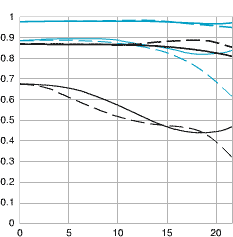
| A quick guide to MTF charts (which only measure contrast and resolution) > Canon's guide to their MTF charts) | |
| Black lines reflect lens performance at widest aperture. Blue lines show the performance at f/8 - Thick lines indicate lens contrast Thin lines indicate lens resolution |
Dashed lines: Lens performance with meridional lines. Solid lines: Lens performance with sagittal lines - Closer sagittal and meridional chart lines indicate more 'natural' out of focus areas. |
| Remember that MTF charts are good for comparing similar lenses, so comparing ones from the 14mm f2.8L and 300mm 2.8L won't tell you much at all, whilst comparing the EF14 2.8L with the EF14 2.8L II will show meaningful differences. Note that other manufacturers may have different ways of displaying such information that may or may not match up with the Canon figures. | |
Quite a basic lens design, compared to the 2017 TS-E 90
Normal photos
The TS-E90mm is a good quality 90mm lens before you even add any tilt or shift.
This view of the Vijay patel building at De Montfort University, near my home in Leicester, will be familiar if you’ve looked at any of my other lens reviews. It’s taken with quite a lot of vertical shift, so as to keep vertical lines parallel.
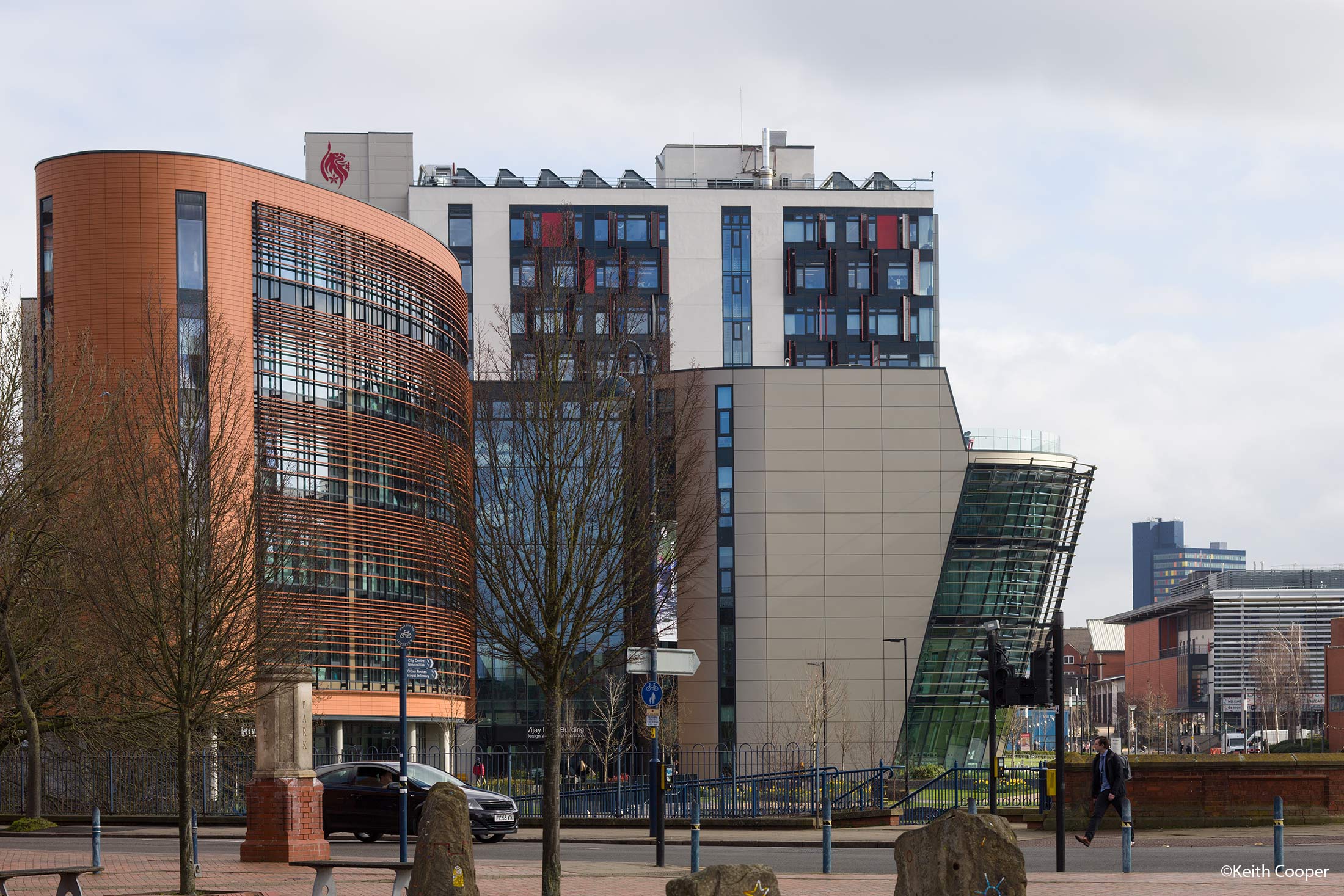
I say ‘quite a lot’ since as with all current [2020] TS-E lenses, there is no EXIF data recorded, regarding tilt or shift settings.
This much magnified view shows the virtually nonexistent chromatic aberration at f/9
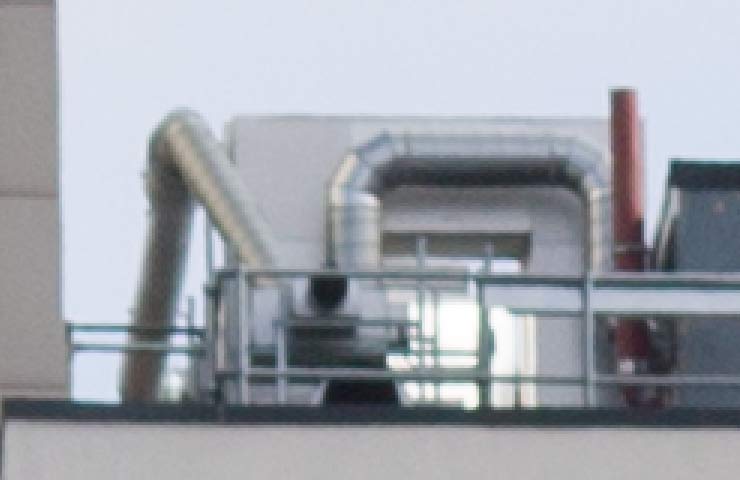
The camera was the 26MP EOS RP using a EF to RF lens adapter.
Dropping to f/7.1 with some nearer trees shows the slight purple fringing the lens can show with fine detail.
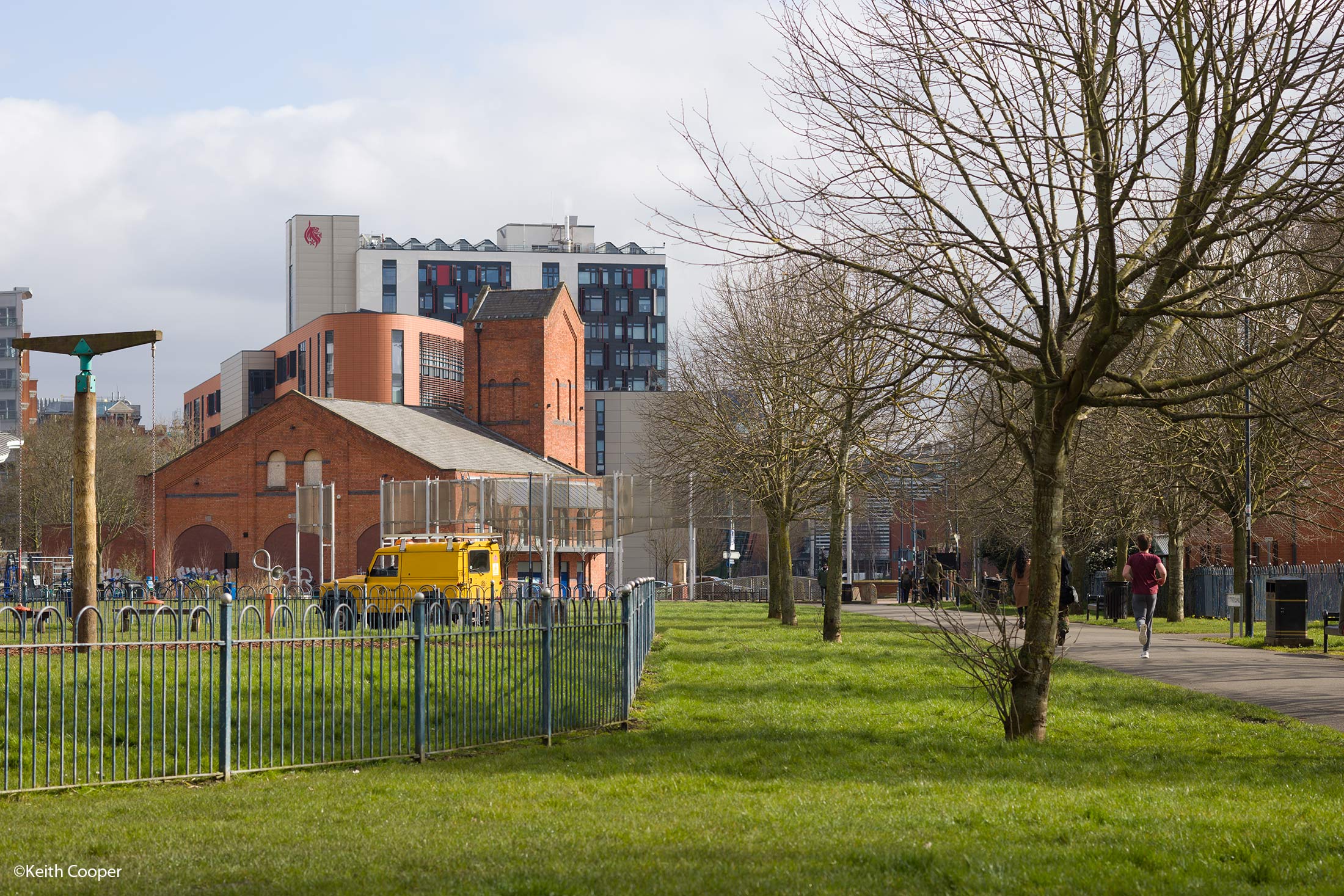
There is a bit of vertical shift (rise) in this image.
Zooming to 400%, the coloured fringing is visible in this shot of the screen using Adobe Camera RAW
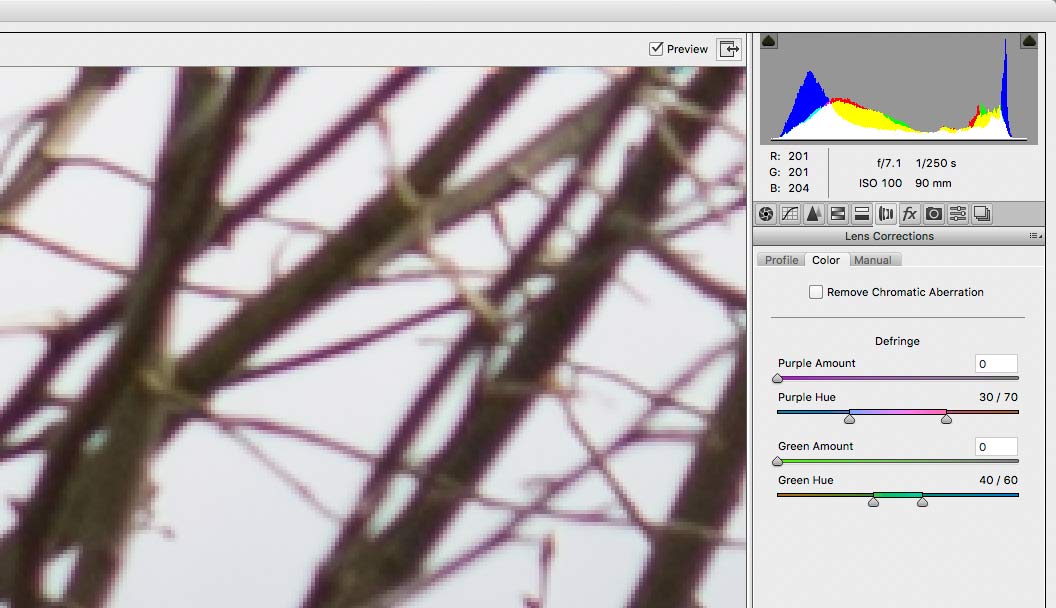
Setting defringing to just one pixel width in the RAW converter, pretty much eliminates the problem,.

If you stop down much below f/5.6 the softness from the fringing becomes more apparent, but the lens only really makes this obvious at f/2.8. It’s wide open performance where the new TS-E90mm F2.8L Macro really excels, but at quite a hefty price premium.
Closer working
As part of my professional work I do product photography, often fairly small items. It’s not the main part of my commercial work but it’s one of those areas where having decent equipment certainly helps.
My desire to check out the TS-E90 came about after photographing some iridescent plastic bottles where a combination of reflective silver labels and a tricky lighting set-up was giving me some difficulties in getting the images I wanted (unfortunately they fall into the client confidential category, so I can’t show the results as examples).
Using the TS-E90
From my work with the 24mm T/S lens I was aware that I could potentially solve some problems with a bit of tilt, but 24mm was far too short a focal length.
Here is an example that shows the benefit of tilt. It’s shot at f/2.8 to get a shallow depth of field, but as you can see, not much of the front of the lens is in focus.
If you mouse over the image you can see the effect of 5 degrees of tilt. There is a slight shift in composition which I’ve allowed for, but shows up as a slight change in the gradation of the background.


Canon 24-70 2.8L taken at f/2.8 with and without tilt
One thing I noted was that the image shifts as you tilt. You could allow for this by shifting the lens, but the tilt and shift planes are at right angles. There is a simple modification to the lens to align these two planes. Some people suggest doing this as soon as you get the lens – I’m going to wait until I’ve used it a bit more. So far I have not done it on my 24mm, but that lens gets used for completely different work (at the moment).
Note – May 2007 – I’ve subsequently modified the 90mm tilt and shift axis – see the details on shift lens modification for more information and step by step guide. This modification is not needed other than with the original 24/45/90mm lenses, since newer designs allow the two axes to be set independently.

I thought about other ways to show how tilting the plane of focus works with aperture, but in the end some simple examples of a row of coins should illustrate the point.
Here is the setup, showing one of the lighting tables I use for small product work (it has lights under the translucent plastic as well). Note that I’m using the angle finder on the 1Ds for accurate focusing. The lens is tilted about 6 degrees (adjusted by eye rather than calculated)
In fact, the whole subject of focussing when using tilt is rather complicated. There is no real substitute for lots of experimentation. I wrote a basic guide to using tilt which covers focusing.
If you use extension tubes for macro work then it can get very difficult to work out and I’ve used an iterative approach such as described in my article about focusing the tilted lens

Test setup
The photo below was taken at f/8. If you mouse over the image it shows the effect of tilting the lens.


Cropped detail from test shot
Here is a 100% crop to give an idea of the image quality (lens tilted). The inset shows the full frame.

Given the difficulty (I’d say futility) of making realistic comparisons between images on the web (JPEG compression, colour management etc.) I’m not going to post a whole load of 100% crops from different lenses. I’ll just say that at f/8 to f/18 the images were sharper than any of my normal lenses (L zooms) and seemed to have better contrast as well.
Since I have only marginal interest in MTF figures and all that stuff ;-) I’m happy to say it’s a damn fine lens.
For those of you who like to pore over lens test charts, I’ll try and dig out a link for the resources bit at the end of the article ;-)
At f/32 and some tilt, this full frame shows an impressive depth of field

However a quick levels adjustment shows on this 100% crop, how much dust lives on the surface of even a fairly clean sensor

Dust – some of it was probably on the surface, but quite a bit is on the sensor. I live in the real world – dust just is…
Fortunately much of this stuff is invisible at f/11 and in many real world images, even at f/32
It’s still less than I found on a negative I had to scan recently … film – no thanks :-)
Here’s one more example taken recently with an extension tube and a small amount of tilt. The flowers are ~5mm long

Flowers in my conservatory.
The tubes give a useful increase in magnification.
The example here is from my 2017 article all about using tilt and tubes with TS-E lenses

Remember though that effective ‘f number’ rises with increased use of tubes.

Extenders/teleconverters
The TS-E lenses work with extenders or teleconverters. One thing to note is that the extender is not noted in EXIF data, so the indicated aperture you see when browsing image files needs to be increased accordingly. 1 stop for a 1.4x extender and 2 stops for a 2x extender. I’ve more details about this in two articles.
Here’s a shot, taken at full downwards tilt at f/2.8, illustrating the ‘model world’ effect – sometimes erroneously called the ’tilt-shift effect’ [They do so much more than just this party trick ;-) ]
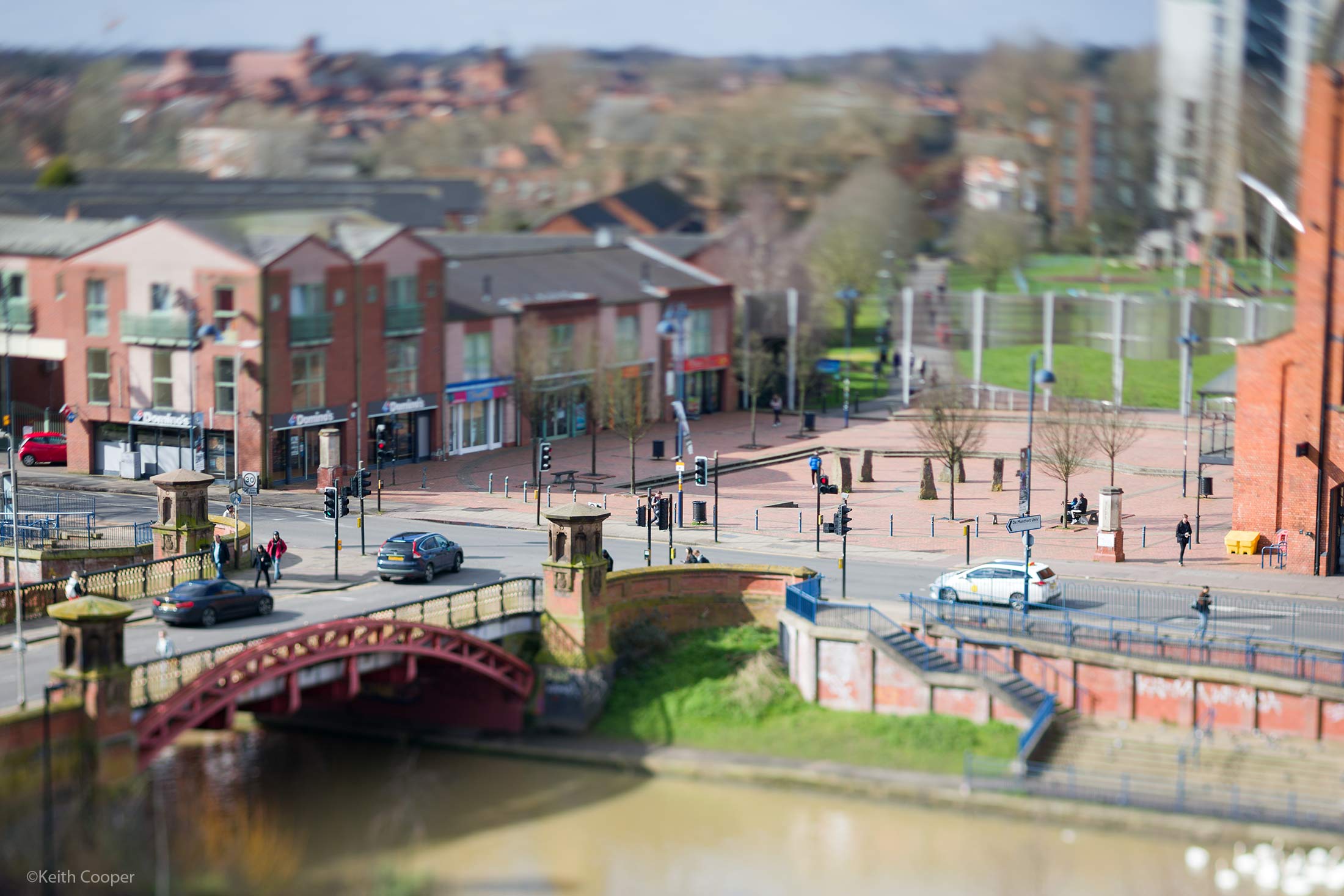
Secondly, from the same viewpoint, but with a Canon Extender 1.4x III.
This gives ~126mm focal length (and adds a stop, making this f/4).
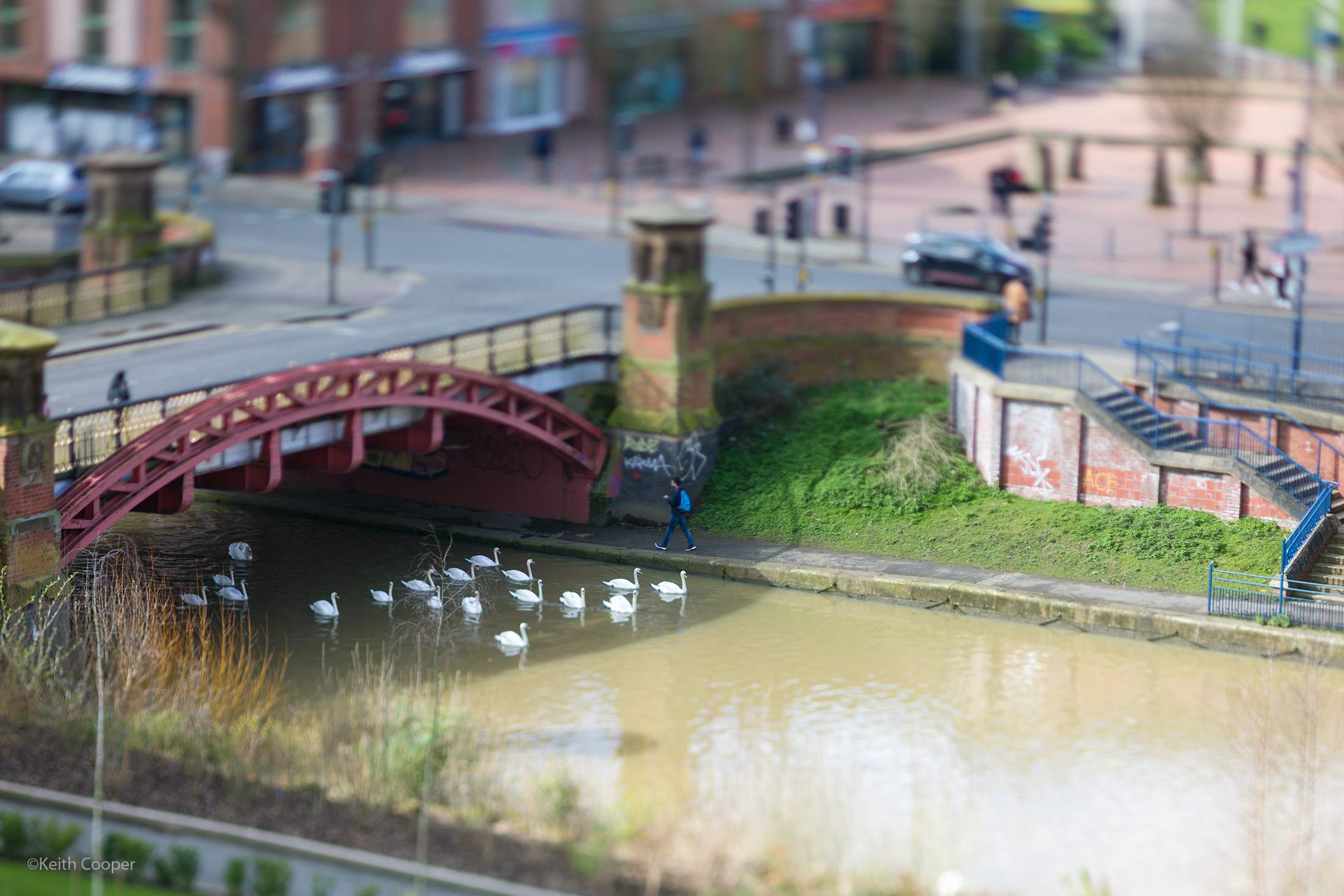
The 1.4x converter has relatively little impact on image quality. The 2x converter is more obvious, where the 2 stop increase may mean working at higher than desired f numbers.
TS-E 90 review: some observations
 Superb bit of non ‘L’ glass from Canon. Excellent for product photography and where you want to play with depth of field.
The 90mm focal length and 50cm minimum focus distance gives a useful magnification of .29x (that means the image size on the sensor is 0.29 times its real size)
Higher magnification can be achieved by using extension tubes.
The Canon 12mm Extension tube allows magnification of .43x and the Canon 25mm Extension tube allows magnification of .6x
A 1.4x teleconverter works well giving an effective ~126mm focal length with ±15mm of shift.
There are some examples using shift shown earlier, but many times the correction is not that obvious at 90mm.
Buying a TS-E lens
We make a specific point of not selling hardware, but if you found the review of help, please consider buying a lens, or any other items at all, via our link with Amazon/B&H
Amazon Fr / Amazon De
Amazon USA link / Amazon Canada link
It won’t cost any more (nor less we’re afraid) but will contribute towards the running costs of our site
I’d welcome any comments or examples from users of the TS-E 90 if they have any shots that really show it at it’s best…
Being quite a bit longer focal length than the 24mm, the depth of field effects are more noticeable, but as an artistic tool I’d advise anyone to go out and play with it, to get some of that ‘new toy’ feeling cleared up.
I’ve found that any new lens promotes a burst of ‘creativity’ that may or may not pass the test of time – generally, I’d rather do this in my own time than when working for a client :-)
Extreme tilt can have interesting effects, but interesting is not always best for a subject ;-)
It’s also quite a nice lens for portrait work, although I have admit I prefer my 70-200 2.8L with its image stabilisation and excellent out of focus softness (bokeh) for hand held shots (I don’t do studio portrait work or -anything- connected with weddings :-)
Updates 2018: new reviews
Is the original TS-E90 still a useful lens?
After testing and comparing with the new TS-E90, it all depends on what you want to do with the lens.
For manual focus with the viewfinder, the old lens (top) is distinctly easier to use,with its larger focus throw.

The old lens fits the Canon MT-24EX flash unit too.
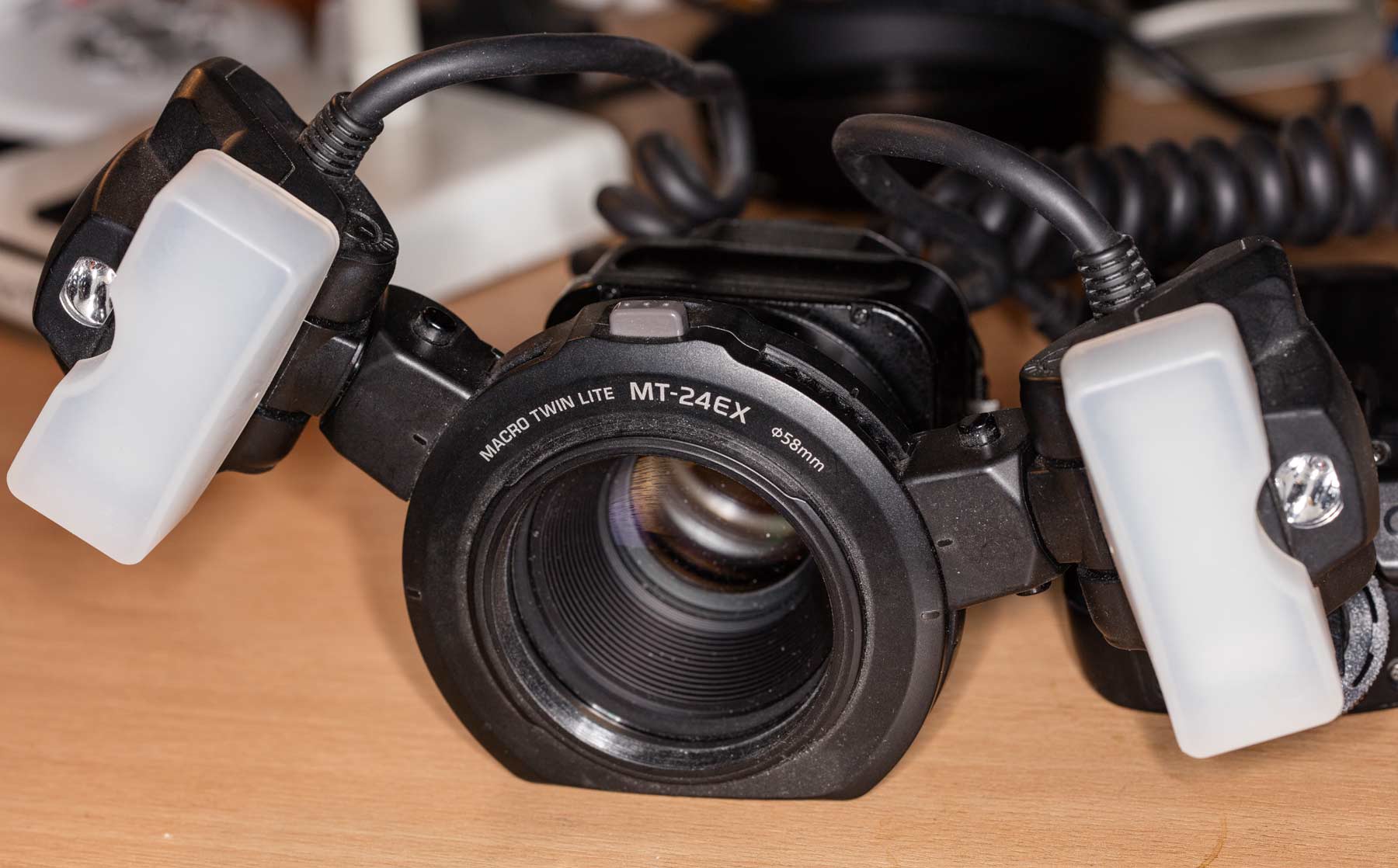
In some areas the new lens is indeed 25 years ahead, but at smaller apertures and with tubes, I’ll still be using my original. Well worth considering if you find a used one in good condition at a good price.
Never miss a new article or review - Sign up for our Newsletter (2-4 a month max.)
More lens use related articles
All articles and reviews are listed on our main Articles and Reviews page, or use the search box at the top of any page. Experimental items, hacks and how-to articles are all listed in the Photo-hacks category.
Some articles that may be of interest:
- Using a tilt/shift lens - what it is they actually do
- Focus with tilted lenses - lots more information about what's going on when you tilt a lens. See also: Focusing the view camera - External link to [very] detailed coverage of camera movements
- Keith's tilt table spreadsheet (zipped file)
- Using old lenses on your DSLR - fun with adapters
- Keith's lens reviews and lens related articles
Adverts removed
Keith | Mar 18, 2024 at 5:47 pm
Nikon will definitely vignette to some extent, with strong shift with the small F mount.
The TSE90 [original] works rather well [I have a video about it], whilst the new version is excellent.
Those two Nikon PCE lenses really show their age
It’s a tricky one with the 100MP – I like it, but I’m likely to get the Fuji 30mm and TS-E50 for it – my TS-E24 needs care in getting good results
I’m really not sure how often people will spot the difference – I only really see it in very big prints.
Maxim Dupliy | Mar 13, 2024 at 8:24 pm
Hello Keith
Will 90mm from Canon /or Nikon 85mm pc-e or 45mm pc-e will bring vignetting on full shift on GFX 100S?
Do you think it will be a benefit for product and architecture photographer(like me) to add GFX 100s to my 45mp full frame? (I know it’s around ~1stop better DD and more mp, but I think if my clients will see the difference and even appreciate that in full hd format I’m sending them the images) What do you think